


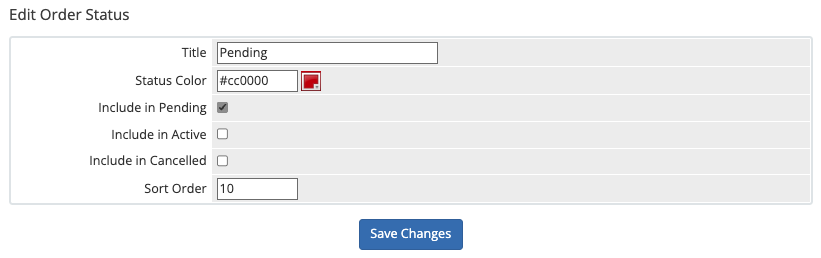
1. What is WHMCS Pending Cancellation?
WHMCS (Web Host Manager Complete Solution) is a popular platform for managing web hosting businesses, including billing, automation, and client management. One of its key features is the ability to handle service cancellations efficiently.
The Pending Cancellation status in WHMCS is assigned to a service when a customer requests cancellation, but the termination is scheduled for a future date rather than being processed immediately. This allows businesses to review cancellation requests, attempt to retain customers, or ensure proper data backup before terminating services.
When a service enters Pending Cancellation, it remains active until the scheduled termination date. If automatic terminations are enabled in WHMCS, the system will cancel the service when the date arrives. Otherwise, manual action is required.
2. Reasons for Pending Cancellation Status
Several factors can cause a service to enter Pending Cancellation in WHMCS. Some of the most common reasons include:
- Customer-Initiated Requests – A client submits a cancellation request, selecting the End of Billing Period option instead of immediate cancellation.
- Billing Preferences – If a customer has an active subscription or prepaid service, businesses may set cancellation to occur at the end of the billing cycle.
- Administrative Decision – A business owner may mark a service as pending cancellation to ensure smooth offboarding or attempt customer retention strategies.
- Unpaid Invoices – Some businesses configure WHMCS to mark unpaid services for cancellation if an invoice remains overdue for a specific period.
- Temporary Holds – The pending status is sometimes used to delay termination while resolving customer support requests or technical issues.
Understanding these factors helps businesses manage cancellations more effectively while maintaining positive customer relationships.

3. How to Manage Pending Cancellations in WHMCS
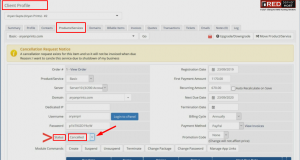
Managing pending cancellations in WHMCS is straightforward. Follow these steps:
Step 1: Review Pending Cancellation Requests
- Navigate to WHMCS Admin Panel → Clients → View/Search Clients.
- Locate the customer’s account and open their product/service details.
- Review the cancellation reason and determine if action is needed.
Step 2: Approve or Cancel the Request
- If the request is valid, let the service remain in pending cancellation until the termination date.
- To cancel the request and restore the service, change the status back to Active.
Step 3: Process Termination Manually (If Required)
- Navigate to Clients → Products/Services and find the pending cancellation entry.
- Click Terminate to finalize the cancellation immediately.
Step 4: Verify Billing Adjustments
- Ensure that no further invoices are generated for canceled services.
- If applicable, process refunds according to company policies.
![HOW TO MANAGE CANCELLATION REQUESTS IN WHMCS? [STEP BY STEP]☑️ |](https://blog.redserverhost.com/wp-content/uploads/2019/11/Screenshot_157-300x162.png)
4. Automating the Cancellation Process
To reduce manual workload, WHMCS provides automation settings to handle cancellations efficiently.
Enable Auto-Termination
- Go to Setup → Automation Settings → Billing Settings.
- Set Auto Terminate/Fixed Term to Enabled.
- Choose the appropriate delay period before termination.
Configure Email Notifications
- Enable automated email alerts to inform customers about pending cancellations and termination dates.
- Navigate to Setup → Email Templates and customize the Service Cancellation Notification template.
Prevent Accidental Cancellations
- Implement approval workflows where administrators must review requests before WHMCS executes terminations.
- Use fraud detection tools to prevent unauthorized cancellation requests.
Automating the cancellation process helps streamline operations while maintaining clear communication with customers.

5. Best Practices for Handling Service Cancellations
Managing cancellations effectively is crucial for customer satisfaction and business retention. Here are some best practices:
- Send Follow-Up Emails – Reach out to customers with retention offers or discounts before finalizing cancellations.
- Provide Easy Reinstatement Options – Allow customers to reactivate services without complications if they change their minds.
- Use Cancellation Surveys – Gather feedback on why customers are leaving to improve your services.
- Ensure Data Backup – Remind customers to back up important data before cancellation.
- Monitor Cancellation Trends – Identify patterns to reduce churn and improve customer satisfaction.
By following these best practices, businesses can manage cancellations effectively while minimizing revenue loss.








Comments 0
Sign in to join the conversation.
No comments yet. Be the first to say something.