Help & Tutorials
Step-by-step guides to get started on Article.pk
Quick Navigation
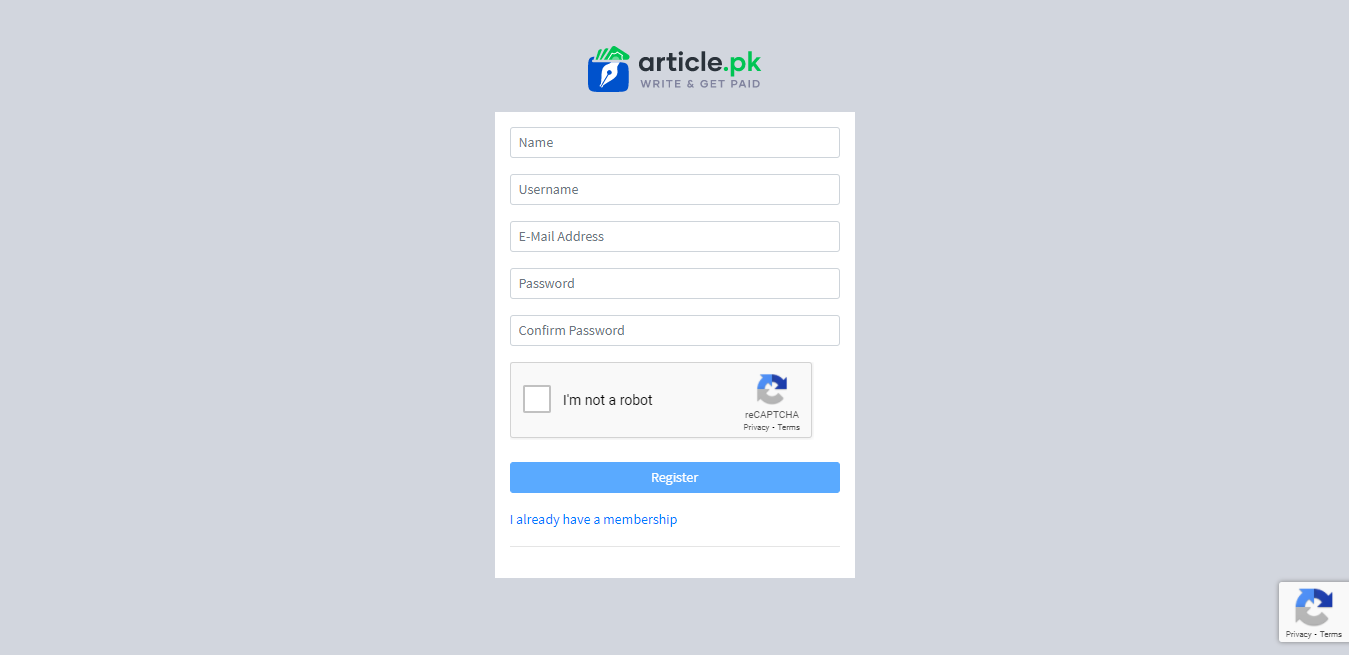
1. Creating Your Account
To start writing and earning on Article.pk, you need to create a free account.
Step 1: Visit Article.pk
Go to article.pk and click the "Register" button in the top navigation.
Step 2: Fill Your Details
Display Name: Your professional name shown on your profile
Username: Unique identifier (used for your author URL)
Email: Required for account access and notifications
Password: Choose a strong password to protect your account
Step 3: Verify Phone Number
Add and verify your phone number to enable publishing. This helps prevent spam and fraud.
2. Publishing Your First Article
Before you can publish, you need writer access. Here is how to get it:
- Verify your email address and your phone number.
- Add a profile photo and a short bio in your settings.
- Open Become a Writer and fill the form: why you want to write, 1 to 3 topics, your writing language (English, Urdu or Roman Urdu), a writing sample of at least 100 words, and your agreement to the Content Rules.
- We decide within 24 hours of a complete form. The result shows on the same page. If something is missing, the page lists it and you can send the form again.
Once you are approved, you can write articles. Every article is reviewed within 24 hours before it is published.
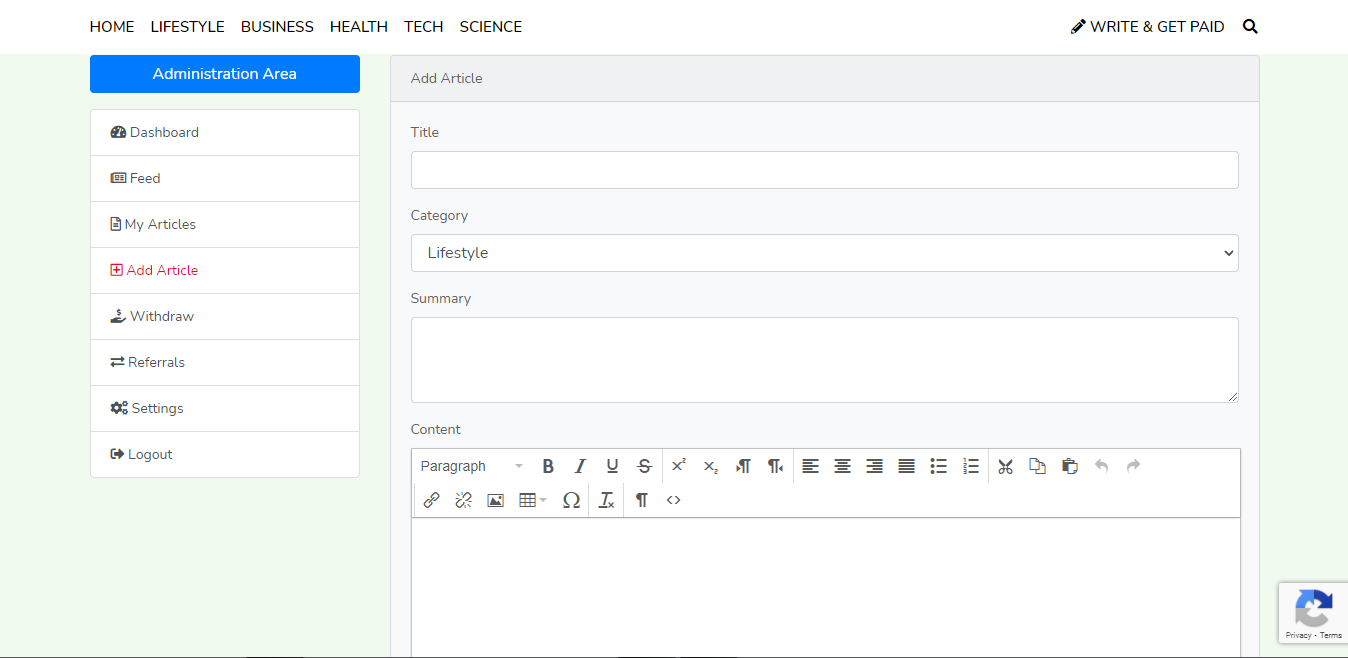
Step 1: Click "Add Article"
From your dashboard, click "Add Article" in the left sidebar to open the article editor.
Step 2: Fill in Article Details
Title: Write a clear, descriptive headline
Category: Select the most relevant category
Summary: Write an engaging excerpt (shown in article listings)
Content: Write your full article using the editor tools
Featured Image: Upload a thumbnail image (required)
Step 3: Submit for Review
Click "Submit" to send your article for review. You can add a message to the reviewer if needed.
3. Understanding Your Dashboard
Your member dashboard shows all your statistics and earnings at a glance.
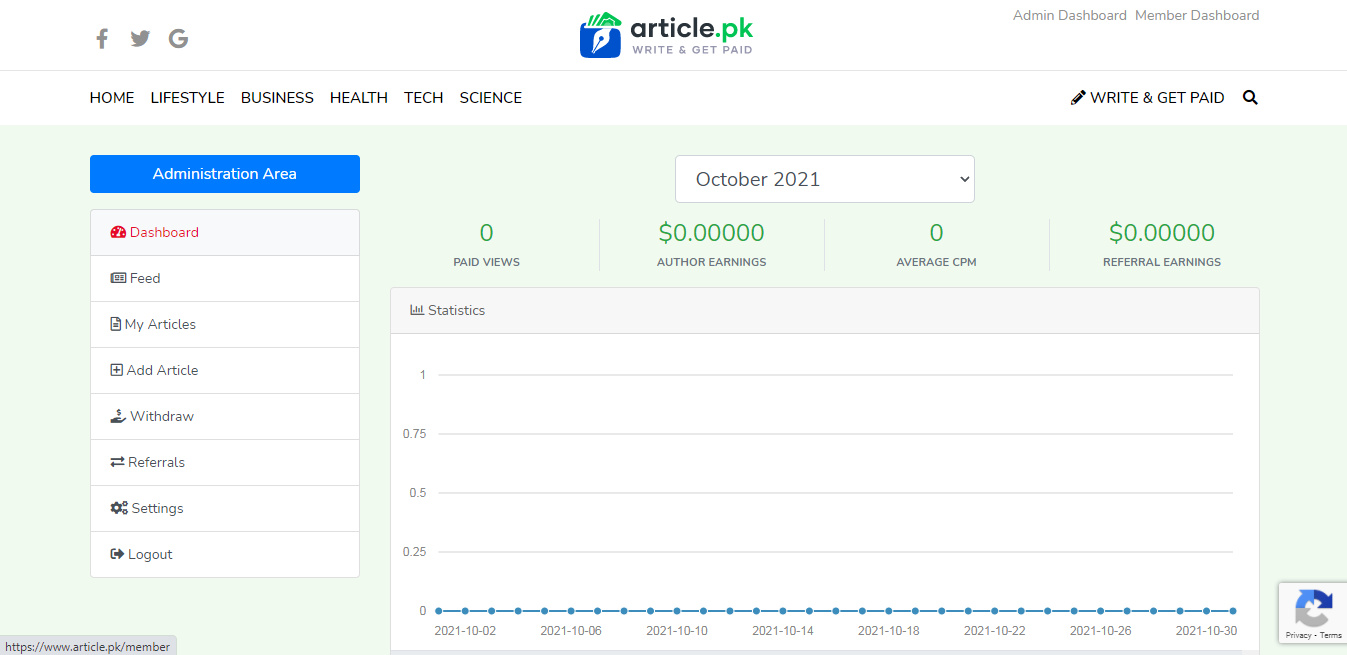
- Total Views: Combined views across all your articles
- Paid Views: Authentic reader views that count toward earnings
- Earnings: Your total earnings from paid views
- Monthly Stats: Progress chart showing your monthly performance
- Left Sidebar: Access to all features - articles, settings, withdrawals
4. How Monetization Works
Article.pk pays you for genuine reader engagement on your articles.
- Immediate Earning: Your profile is monetized from day one - no waiting period or follower requirements
- Ad Revenue Share: You earn a share of the advertising revenue your articles' paid views bring in; the rate depends on the reader's country and changes with advertising income
- Paid Views: We count authentic reader views, not spam or bot clicks
- Referral Bonus: Earn 1% lifetime commission from writers you refer
- Current Rates: Listed per country on the Monetize Your Creativity page
5. Withdrawing Your Earnings
When you reach the minimum balance, you can withdraw your earnings easily.
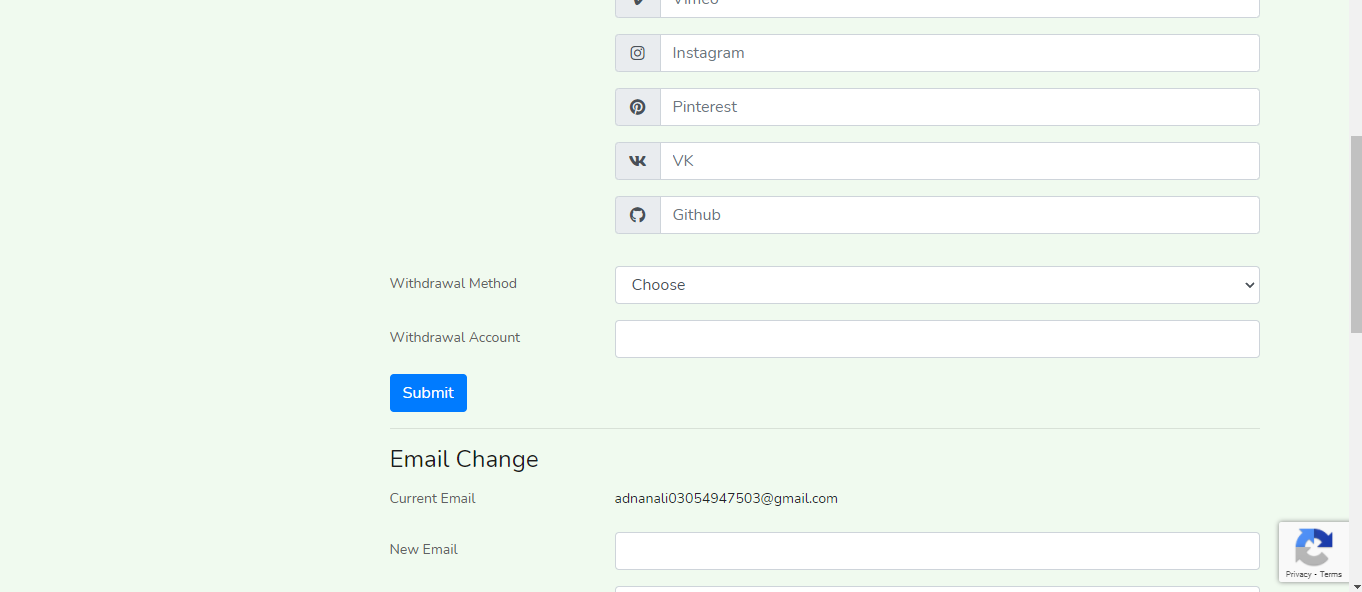
Step 1: Set Up Payment Method
Go to Settings and select your preferred payment method: JazzCash, Easypaisa, or Bank Transfer.
Step 2: Request Withdrawal
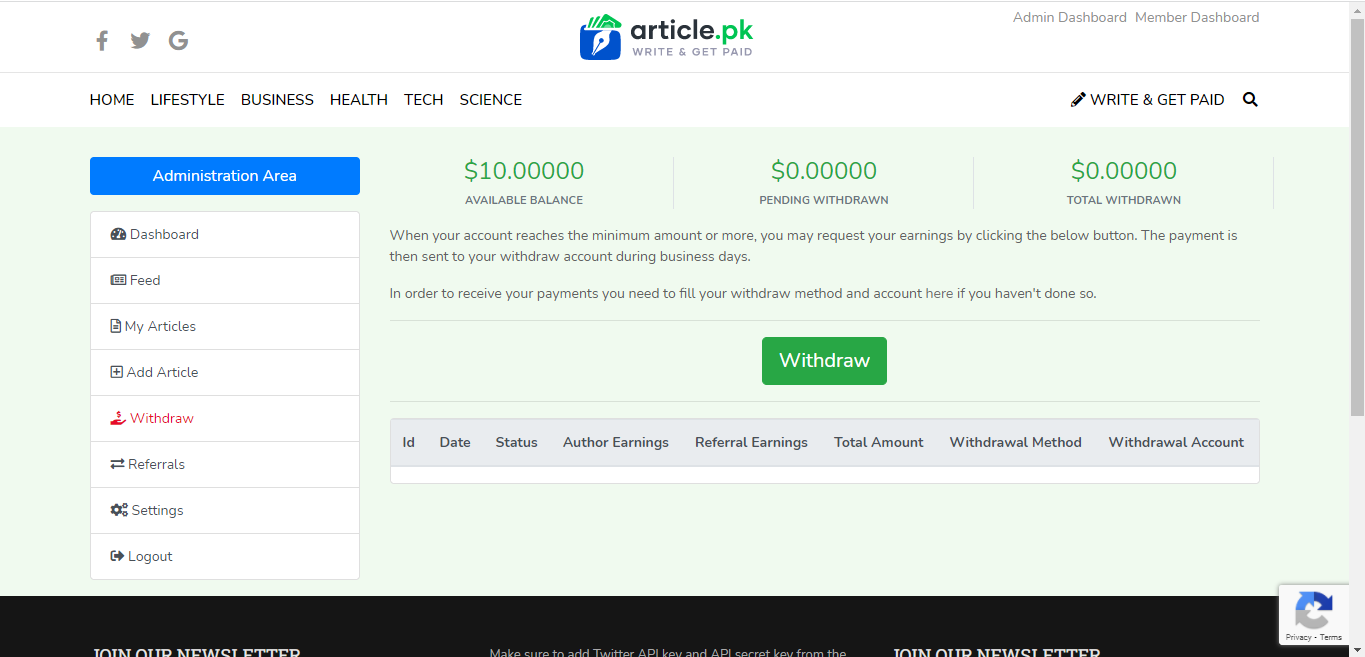
Click "Withdraws" in the sidebar, then click the green "Withdraw" button.
Step 3: Receive Payment
Payments are processed and sent to your account. Track status in the withdrawal history.
6. Managing Your Settings
Update your profile, payment info, and account details anytime.
- Profile Info: Update your name, bio, and profile picture
- Payment Method: Choose and configure your withdrawal method
- Password: Change your password for security
- Notifications: Manage email notification preferences