

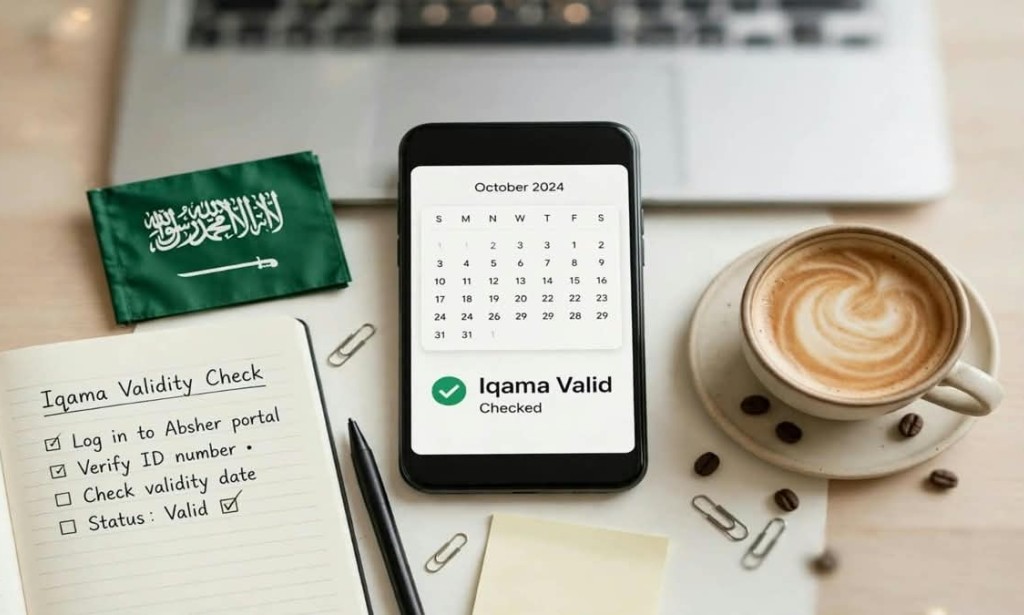
If you work in Saudi Arabia, your Iqama is your life in the country. Without a valid iqama, you cannot get your salary in the bank, renew your driving license, get an exit re-entry visa, or even keep your mobile SIM active. Many workers only discover their Iqama has expired when they go to the airport or to the bank, and by then it is too late. The good news is that checking your Iqama validity is free and takes only 2 minutes. You can check it yourself on the official Absher portal of the Ministry of Interior. You do not need to pay an agent or depend on your kafeel to tell you the date. In this, you will learn what Iqama validity means, how to check it on Absher step by step, how to check it without Absher, and what the fine is if it expires. All information is based on official Saudi government portals.
1. What Is Iqama Validity and Why It Matters?
Iqama is the official residence permit for expatriates in Saudi Arabia. It is also called Muqeem. Every expatriate worker, dependent, and family member must have a valid Iqama to stay legally in the Kingdom. Your Iqama has a 10-digit number. This number is your identity in Saudi Arabia for all government work. It is different from your passport number and your border number. When you check validity, you will always be asked for this 10-digit Iqama number. Many people get confused between two dates. One is the physical card expiry date, and the other is the residency expiry date. Under the new system, the physical Muqeem card is valid for 5 years from the date of issue, while the underlying residency status is renewed digitally on Absher or Muqeem. This means your card can look valid, but your residency in the system can be expired. Always trust the date shown on Absher, not the date printed on the card.
Why does it matter so much? If your Iqama expires, your bank account can be frozen, your salary can stop, you cannot travel, and you cannot apply for a family visit visa. Your employer also gets a penalty. That is why every worker should check his Iqama validity at least once every month. The Iqama check on Absher tells you the exact expiry date in both Hijri and Gregorian calendars, plus your current renewal status. This is very important because Saudi government work uses the Hijri calendar. Your Gregorian date moves earlier every year, so you cannot guess it from last year.
2. How to Check Iqama Validity on Absher (Step-by-Step)
Absher is the Saudi Ministry of Interior’s online platform. It is the fastest and most trusted way to check your Iqama. Most checks on Absher require you to log in. Logins now go through NAFATH, which is Saudi Arabia’s unified national authentication system.
You will need:
- Your Iqama number
- Your registered mobile number for OTP
- Absher Individuals App or Absher website
Follow these steps:
Step 1: Open the Absher portal or the Absher Individuals app on your phone.
Step 2: Log in via NAFATH. You will receive a number on your phone. Approve it in the NAFATH app or enter the OTP.
Step 3: After login, go to My Services, then General Services.
Step 4: Select Query Iqama Expiry Service. This is the official name of the service.
Step 5: Your Iqama number will already be shown, or enter it if asked. Click Search.
Step 6: The screen will show your Iqama status as valid or expired and the exact expiry date in Hijri and Gregorian. Take a screenshot and save it.
Pro Tip: Do not wait for an SMS from Absher. Absher sends alerts before Iqamas expire, but sometimes the SMS does not reach you because of a changed mobile number. Check it yourself every month on the 1st date. You can also view your Muqeem Digital ID in the Absher app. It carries a variable QR code that authorities can scan to verify your residency status. This is useful when you do not have the physical card with you. To view it, open the Absher app, tap your profile icon, and select Digital ID.
3. How to Check Iqama Without Absher for Workers
Many new workers do not have an Absher account yet, or their mobile number is not registered. If you cannot log in to Absher, you still have 2 official ways to check.
Method A: HRSD Public Inquiry
The Ministry of Human Resources and Social Development runs a public inquiry service that returns your Iqama status without an Absher account and without logging in. In this method, you open the HRSD inquiry page, select your language, enter your Iqama number or Border Number or Passport Number, and enter the captcha. The result shows your Iqama color status, your profession, and your work permit status. This is especially useful for workers who want to check if their kafeel has renewed their work permit or not. One thing to remember is that this particular inquiry form is served in Arabic only in some browsers, with no English toggle. If you see Arabic, use your browser’s translate option, or ask a friend to help you once. After one time, you will learn the positions of the boxes.
Method B: Muqeem Portal for Employers
Employers can check all workers on the Muqeem portal. They can pull a Muqeem report of their workers from Absher Business. The report is valid for 30 days and is not an official proof of status, but it shows the basic information of workers, including Iqama validity. If you are a worker and you cannot check yourself, ask your HR or Kafeel to send you a screenshot of your Muqeem report. A good employer will never refuse this. If your employer refuses to show you your own Iqama status, that is a red flag. You should check on HRSD yourself. Never share your Iqama number, OTP, or Absher password with any agent or stranger on WhatsApp. Many fraud cases happen like this. Official checking is always free. If someone asks for money to check your Iqama, it is a scam.
4. Iqama Expiry Fine and What to Do If Expired
This is the part most people fear, but you must know it clearly.
According to the Jawazat, the General Directorate of Passports, not renewing an Iqama costs SAR 500 the first time and SAR 1,000 the second time, and a third offense leads to deportation. The Ministry of Interior requires renewal at least 3 days before the expiry date.
What happens if your Iqama is expired?
1. Your bank account can be frozen after some days.
2. You cannot get an exit re-entry visa or final exit.
3. You cannot renew your driving license or car insurance.
4. You cannot transfer sponsorship.
5. Your employer also gets a fine for late renewal.
What to do if it is already expired?
Step 1: Do not panic. First check the exact expiry date on Absher and calculate how many days late you are.
Step 2: Tell your employer or kafeel immediately in writing on WhatsApp. Renewal is the employer’s responsibility in most cases. Ask them to renew the work permit on Qiwa first, then the Iqama on Absher Business or Muqeem.
Step 3: Pay the fine if any. The fine will show in the system at the time of renewal. Your employer usually pays it, but in some private agreements, the worker pays it. Check your contract.
Step 4: After renewal, check again on Absher to confirm the new expiry date. Save the new screenshot.
How to Avoid Fine Next Time:
1. Set a reminder 30 days before expiry and another reminder 7 days before expiry.
2. Renew at least 3 days before expiry, not on the last day.
3. Keep your mobile number updated in Absher, so you get alerts.
4. Always keep a photo of your Iqama number on your phone, not only the physical card.
Checking your Iqama validity is your own responsibility, even if your kafeel says he will handle it. Open Absher once a month, check the Query Iqama Expiry Service, and save the screenshot. A 2-minute check can save you SAR 500 in fines, a frozen bank account, and a cancelled flight. If your Iqama is about to expire, talk to your employer today, not tomorrow.
Frequently Asked Questions
Q: Can I check Iqama validity without Absher?
Yes. You can use the HRSD public inquiry with your Iqama number or border number, without logging in.
Q: Is checking Iqama free?
Yes, checking is 100% free on Absher, Muqeem, and HRSD portals.
Q: What is the fine for an expired Iqama?
SAR 500 the first time, SAR 1,000 the second time, and deportation the third time.





Comments 0
Sign in to join the conversation.
No comments yet. Be the first to say something.