

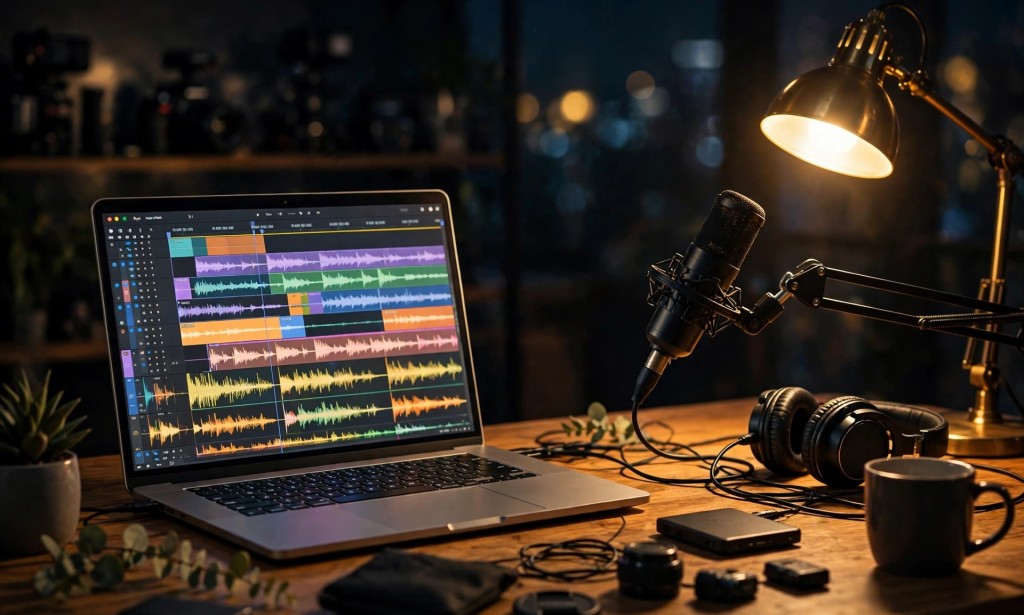
What if the one free video editor that exports without a watermark also deletes your work a week later? That is the strange deal Wisecut offers, and it is the reason this review does not end the way most free-plan reviews do. On paper, the free plan looks like the best bargain in AI editing: thirty credits a month, real exports, and no watermark stamped on your video. But the official pricing page and the official Terms tell two different stories about what "free" means, and the catch is in the verdict below.

What It Is
Wisecut is an AI video editor, not a video generator. That distinction matters more than anything else in this review, so let us settle it first. You bring your own footage — a podcast, a talking-head video, a long interview, a stream recording — and Wisecut's AI cuts it down for you. It removes silences and filler words, adds captions, finds the punchy moments, and reframes the frame for vertical Shorts. It does not dream up new footage from a text prompt. If you were hoping for a free text-to-video machine, this is not it, and no honest review should pretend otherwise.
The product's headline feature is Autopilot, which turns a long video into short, captioned clips on its own. But Autopilot is not on the free plan at all — the pricing page now lists it explicitly as "No Autopilot" for free users, along with "No Social Hub" and "No MCP". What free users do get is the core Editor, plus a limited version of WISH, Wisecut's AI assistant feature. The editor is where the thirty free credits go, one credit per processed minute of footage.
Free Plan Details
Here is exactly what the official pricing page gives free users, verified today on wisecut.video/pricing. The free plan costs US$0 a month and is labelled "Always free". It includes 30 credits a month, and one credit buys one processed minute in the Editor. In plain terms, you can run thirty minutes of your footage through the AI editor every month. That is one half-hour podcast episode, or three ten-minute videos, or a handful of shorter clips.
Exports on the free plan are capped at 480p resolution, with each export limited to three minutes and a maximum file size of 4 GB. Thirty minutes of processed footage is not the same as thirty minutes of exports — the three-minute cap applies per export, so a longer edit has to be split.
Two details from the official pages deserve a closer look. First, the pricing page does not state when in the month the thirty credits refresh, and it says nothing about whether unused credits roll over. Treat both as unconfirmed — do not plan your month around a refresh date the official pages never promise. Second, extra credits can be bought without a subscription, and the page says they remain valid for twelve months.
Now the features that are missing. Autopilot, the automatic short-clip maker, costs two credits per processed minute and is paid-only. Social Hub and MCP are paid-only too. WISH, the AI assistant, is listed as "limited" on the free plan, and the page does not spell out the limit. The official comparison page confirms Wisecut makes captioned Shorts and covers reframing, but no official page I could read states 9:16 support explicitly — so if vertical export is make-or-break for you, that detail is unconfirmed on the official pages, and you should test it yourself before committing to the tool.
One more number to keep in mind: the free plan's thirty credits are a monthly allowance, not a one-time grant. Unlike some tools whose free credits never come back, Wisecut's do refill each month. That is the good news. The bad news is hiding in the Terms, and it changes the value of those thirty credits more than any resolution cap does.
Watermark and Commercial Use
Here is the part that makes Wisecut unusual. The official pricing page states, in the free column, in plain words: "No watermark." Free exports carry no Wisecut watermark. In a market where almost every free editor brands your video, that is a rare and genuinely valuable promise — and it is the reason this tool earned a review in the first place.
But a clean export is only half the question. The other half is whether you are allowed to publish and monetize what you export, and this is where the honest answer gets uncomfortable. I read the full Wisecut Customer Agreement, revised September 6, 2025. The word "commercial" appears exactly once in the entire document, and it is in a clause about United States government procurement law. It has nothing to do with creators.
What the Terms do say is this: you keep ownership of the content you upload, and you consent to Wisecut using your content and associated data to train and improve its AI models. They grant you only a limited, revocable licence to access and use the service. And they prohibit using the service in any manner or for any purpose other than as expressly permitted by the agreement — while never expressly permitting commercial use anywhere in the document.
So the honest line is: the Terms neither grant nor forbid commercial use of free exports. That is a genuine grey area, not a green light. If you plan to monetize the clips you edit on the free plan, you are doing so without a written permission from the toolmaker.
And then there is the catch that the pricing page never mentions. Section 3.4 of the Terms states that free-account projects expire and are permanently deleted seven days after creation. Paid accounts get thirty days. Your edited project — not just the export, the project itself — is gone after a week on the free plan. Export and download your finished video the same day you make it, or it may not be there when you come back. An account that sits inactive for thirty days may also be deleted at Wisecut's discretion.
One last discrepancy, because honesty means reporting conflicts instead of smoothing them over. The homepage says "Try it for free. No credit card required." The Terms, Section 1.2, say that accessing the service requires a Wisecut account "associated with a valid email address and a valid form of payment." Those two official statements contradict each other. Whether a payment method is actually demanded at free sign-up could not be settled without signing up, so this review asserts neither — but the contradiction is worth knowing before you start.
How to Use It
Go to the official Wisecut website and create a free account with a valid email address. Expect to be asked for an account; do not be surprised if the sign-up flow mentions a payment method, given the conflict noted above.
Upload a video of your own footage — a podcast, an interview, a talking-head recording. Keep it in mind that one credit covers one processed minute, so a thirty-minute video uses your whole monthly allowance.
Let the Editor process the footage. It will cut silences and filler words and mark the moments worth keeping. Review the suggested cuts before you accept them, because the AI's idea of a good moment is not always yours.
Add captions and adjust the framing for the platform you are posting to. Remember that vertical 9:16 output is not explicitly confirmed on the official pages, so check the export options yourself before you plan a Shorts-only workflow.
Export at 480p, in chunks of three minutes or less. Watch the export all the way through — a watermark-free export is only useful if the cut itself is clean.
Download your finished video immediately, the same day. Free projects are permanently deleted after seven days, and there is no recovery after that.
If you run out of credits mid-month, remember that extra credits can be bought without a subscription and stay valid for twelve months.
Honest Verdict
Wisecut's free plan is the most honest bargain in this series so far, and also the most double-edged. The good is real: thirty credits every month, a capable AI editor, and exports with no watermark — a combination almost nobody else in the free tier offers.

The catch, the one this article held back until now, is not one thing but three, and they stack. First, your projects vanish after seven days, so the free plan punishes anyone who edits slowly. Second, the Terms never grant you commercial use of what you make, so monetized publishing sits in a grey area the toolmaker has not resolved. Third, the sign-up itself sends mixed signals about whether a payment method is required. Together, they mean the free plan is a trial with a timer on it, not a permanent home for your editing.
Who should use it? Creators with their own long-form footage who want watermark-free test edits and can export the same day. Who should skip it? Anyone who needs a video generator, anyone who needs commercial-use certainty in writing, and anyone who edits in slow weekly batches — the seven-day deletion will eat your work. If you do use it, treat it like a borrowed studio: get in, cut, export, download, and get out. Upgrading is straightforward — Starter+ at US$29 a month, Professional+ at US$119, with annual billing saving up to 30%.
The free plan earns its place on the list because the watermark-free export is real and verified. It loses the top spot because everything around that export — the seven-day clock, the silent Terms, the 480p ceiling — asks you to move fast and trust more than the paperwork supports. That is the whole story, and it is the story the pricing page alone would never tell you.
You can try it yourself on the official Wisecut website — but go in with your eyes open: export the same day, keep a copy of everything, and decide for yourself whether the grey area around commercial use is a risk you are willing to take. Have you tested the free plan yourself — did the export come out clean, or did the seven-day clock catch you first? Tell us in the comments.







Comments 0
Sign in to join the conversation.
No comments yet. Be the first to say something.