

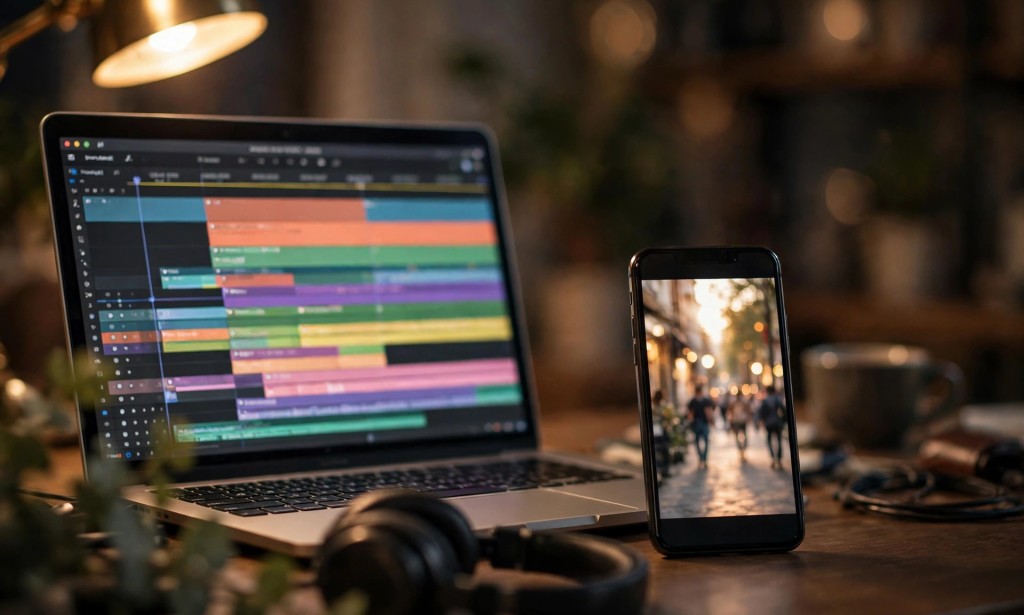
What if a free video editor gave you unlimited exports, 720p quality, and 10 AI credits — and then quietly put a clock on everything you make? That is the deal Kapwing puts on its official pricing page. Ten credits, unlimited exports, no card required.
But here is the question that makes the deal interesting: the exports are unlimited, so what could possibly run out? The answer is not the exports. It is the time your work is allowed to exist — and the catch is in the verdict below.

What It Is
Kapwing is a browser-based video editor built for creators who need to turn long videos into short ones fast. You open it in a browser, upload a video or paste a link from TikTok, YouTube or X, and you edit on a timeline with captions, reframing, templates and AI tools. There is nothing to download and nothing to install, which is why more than 35 million creators use it, according to the company's own pricing page.
The tool's real strength is repurposing. Kapwing's AI finds the best moments in a long video, cuts them into vertical clips, adds animated captions, and reframes the shot for 9:16. It also has a Smart Cut tool that removes silences automatically, a Resizer that converts a video to a new size, auto-subtitling in many languages, text-to-speech, auto-translation, clean audio that removes background noise, and a stock library of templates, videos, photos, audio and GIFs.
For a US creator, the appeal is obvious. A podcast episode, a stream, or a long YouTube video can become a week's worth of Shorts without opening a desktop editor. The platform exports MP4, PNG, JPG, MP3 and GIF, and it lets you import directly from a link instead of downloading and re-uploading a file first.
Here is the surprising detail that frames everything else in this article. Kapwing's free plan is genuinely generous on paper — unlimited exports, 4-minute videos, 720p quality — yet the pricing page lists a storage rule that most readers will scroll straight past. Free workspaces keep their files for three days. That single line changes the whole value of the free plan, and the verdict below explains why.
Free Plan Details
Let us get specific, because the free plan is the whole reason to read this article.
The free plan costs $0. The official pricing page lists it plainly: 10 credits, unlimited exports with a watermark, videos up to 4 minutes long, 720p video quality, and 5 GB of cloud storage. You can upload files up to 2 GB, and your monthly video export limit is 30 minutes. That is a real, working free plan — not a trial that expires after a week.
The 10 credits buy the AI features. Auto-subtitling runs up to 10 minutes, text-to-speech up to 1 minute, auto-translating up to 5 minutes, and clean audio up to 5 minutes. The free plan also includes Smart Cut, video stabilization, chroma key, audio waveforms, a transcript download, and SRT and VTT subtitle files. Free workspace projects are unlisted, which means anyone with the link can view them, but they are not searchable or publicly listed.
What the page does not say is just as important. It does not say whether the 10 credits refresh every month or are a one-time allowance, so this article does not claim either. The pricing page simply says "10 credits," and no refresh schedule is printed next to it. That matters, because 10 credits is a small number if it never refills.
The paid plans are Pro and Business, plus custom Enterprise pricing. Pro is listed at $16, with 1,000 credits a month, no Kapwing watermark, 4K exports, videos up to 2 hours long, 200 GB of storage, uploads up to 6 GB, auto-subtitling up to 1,000 minutes a month, dubbing up to 50 minutes a month, a brand kit, custom fonts and collaborative workspaces. Business is listed at $50, with 4,000 credits a month, 800 GB of storage, custom voice clones and lip sync. The pricing page shows no free trial for the paid plans — its own FAQ says so directly.
So the free plan is real and usable — 10 credits, unlimited exports, 720p. But the numbers around it are small, and one of them is a countdown.
Watermark and Commercial Use
For creators, two questions matter more than any feature list: will my video carry a watermark, and can I legally use it to make money? Kapwing answers the first on its official pricing page, and the second only partly.
The watermark answer is yes — on every free export. The pricing table has a "Kapwing watermark free exports" row, and the free column reads "None," meaning no watermark-free exports on the free plan. The Pro plan's headline benefit is "No Kapwing watermark on your creations." So every video you export for free carries the Kapwing watermark, and removing it is a paid feature.
The commercial-use answer is unconfirmed for the free plan. Kapwing's AI page carries a general statement that all AI-generated content created on Kapwing comes with full commercial rights, usable for ads, client work, social media and monetized channels. But that statement is general — it is not tied to the free plan on the pricing page, and the pricing page itself says nothing about commercial rights. The Terms page could not be read on the official site during the October verification, so this article does not claim the free plan is commercially safe. If you plan to monetize free-plan exports, treat the commercial question as unanswered until Kapwing states it for the free plan directly.
One more official fact belongs here. The pricing page is honest about the watermark — it prints it in the comparison table instead of hiding it in a footnote. But a watermarked 720p export is still a watermarked export, and for a channel that posts clean Reels, it is a real problem.
What is not verified on the official pages read: whether the 10 free credits refresh monthly, the per-clip cost of AI generation in credits, and whether 9:16 vertical export is guaranteed on the free plan. The AI page lists 9:16 among its aspect ratios generally, and the Resizer converts videos to a new size, but the pricing page does not tie 9:16 to the free plan. All three are written as unconfirmed in this article, because guessing them would be inventing facts.
How to Use It
Making your first free edit takes minutes, and there is no card to enter first. Here is the process, exactly as the official pages describe it.
Go to the official Kapwing website and open the editor in your browser. There is nothing to download.
Upload a video of up to 2 GB, or paste a link from TikTok, YouTube or X to import it directly.
Pick what you want to make: a vertical clip from a long video, a captioned short, a resized version, or a fresh edit from a template.
Let the AI find the moments, or cut the timeline yourself. Add animated captions with auto-subtitling — the free plan covers up to 10 minutes of it.
Reframe the shot for vertical with the Resizer, and use Smart Cut to remove the silences automatically.
Add text-to-speech, translation or clean audio if you need it — the free plan covers up to 1 minute of speech, 5 minutes of translation and 5 minutes of clean audio.
Export as MP4 at 720p. The export carries a Kapwing watermark, and it must be under 4 minutes long and inside your 30-minute monthly export limit.
Download the finished video the same day. Do not leave it in the workspace — free files are stored for only 3 days.
One practical tip: because the free plan stores files for only 3 days, treat Kapwing as an edit-and-export tool, not a storage shelf. Finish the edit, export it, and save the file on your own drive before the clock runs out.
Honest Verdict
Kapwing's free plan is the most generous editor in this series on paper — and the most quietly limited in practice. Ten credits, unlimited exports, 4-minute videos, 720p quality, and a full editing toolkit in the browser. No other free editor in this series lets you export as much as Kapwing does.
But here is the catch this article promised at the start. Your free projects are stored for only 3 days. Leave a half-finished edit in the workspace for a long weekend and it is gone. Combine that with a watermark on every export, 720p quality, and only 10 credits for the AI features — with no refresh schedule printed anywhere — and the free plan is a sprint, not a studio. It is perfect for cutting one video today, and a poor home for a week's worth of work.
So who should use it? If you need to turn a long video into vertical clips right now, add captions, and export the same day, the free plan is genuinely useful and genuinely free. If you need clean, watermark-free Reels, a place to keep projects, or AI credits that keep coming, it is not: the watermark only comes off with Pro, listed at $16, and the storage only lasts beyond 3 days on a paid plan.

The bottom line is simple. Kapwing gives you 10 free credits and unlimited watermarked exports at 720p — but your free projects live for only 3 days. Use it to edit and export today, and pay only when the watermark and the countdown start costing you work.
You can try it yourself on the official Kapwing website. Have you tested the free plan yourself — did the 10 credits cover your edit, or did the 3-day storage clock catch you first? Tell us in the comments.





Comments 0
Sign in to join the conversation.
No comments yet. Be the first to say something.