

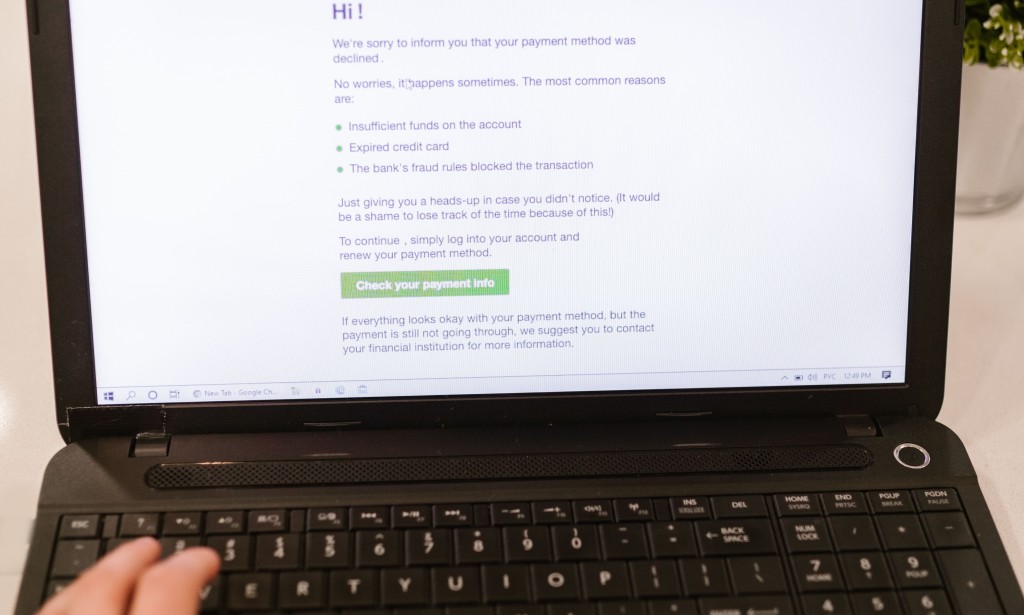
A person checking a suspicious payment declined email on a laptopHow to Spot Online Scams Before They Trick You
How to Spot Online Scams Before They Trick You
Online scams are becoming harder to recognize, and even careful internet users can fall for a convincing message. A fake bank alert, delivery notification, job offer, or social media message may look completely genuine at first glance.
The good news is that you don't need to be a cybersecurity expert to protect yourself. A few simple habits—checking the sender, looking closely at links, and verifying unexpected requests—can help you avoid losing money or sharing personal information.
Scammers often rely on panic, curiosity, or promises of easy money. They want you to act quickly without thinking. Taking a moment to slow down and check the details can make all the difference.
What Are Online Scams?
Online scams are attempts to trick people through emails, text messages, websites, social media, or other digital platforms. Scammers may try to steal money, passwords, banking details, or personal information.
Some pretend to be banks, government departments, delivery companies, or people you know. Others offer fake prizes, attractive investment opportunities, or jobs that sound too good to be true.
These scams don't necessarily target people who are inexperienced with technology. Anyone who uses a smartphone, email, social media, or online payment services can become a target.
Why Online Scams Are Harder to Recognize Today
Scam messages are no longer always full of spelling mistakes or obvious warning signs. Many look professional, use familiar company logos, and copy the language of genuine businesses.
You might receive a message about a delayed parcel while you're expecting a delivery, or an alert claiming there is a problem with your bank account. Because the message seems relevant, you may be tempted to open the link without checking it first.
Scammers also know how to create pressure. They may tell you that your account will be suspended, your payment will fail, or an offer will expire within minutes. When you're busy or distracted, it's easy to react before thinking.
That is exactly what they want. Taking a short pause before responding gives you time to notice things that might otherwise go unnoticed.
Common Phishing and Scam Tactics to Recognize
Most online scams follow familiar patterns. Learning to recognize them can help you spot suspicious messages before they cause trouble.
Urgent warnings: Messages claiming your bank account will be blocked or your payment will fail unless you act immediately.
Unrealistic rewards: Offers of free prizes, unexpected cash, or high-paying jobs that require a payment first.
Suspicious website links: Addresses that look similar to genuine websites but contain extra words, unusual characters, or spelling changes.
Brand impersonation: Messages pretending to come from banks, delivery services, government departments, or popular online platforms.
Fake customer support: People offering to fix an account problem but asking for payment, passwords, verification codes, or access to your device.
If a message feels unusually urgent or asks for information you wouldn't normally share, take a closer look before doing anything.
Before responding to an urgent message, open the company's official website or app yourself. Don't rely on the link provided in the message.

Image placement: After this section
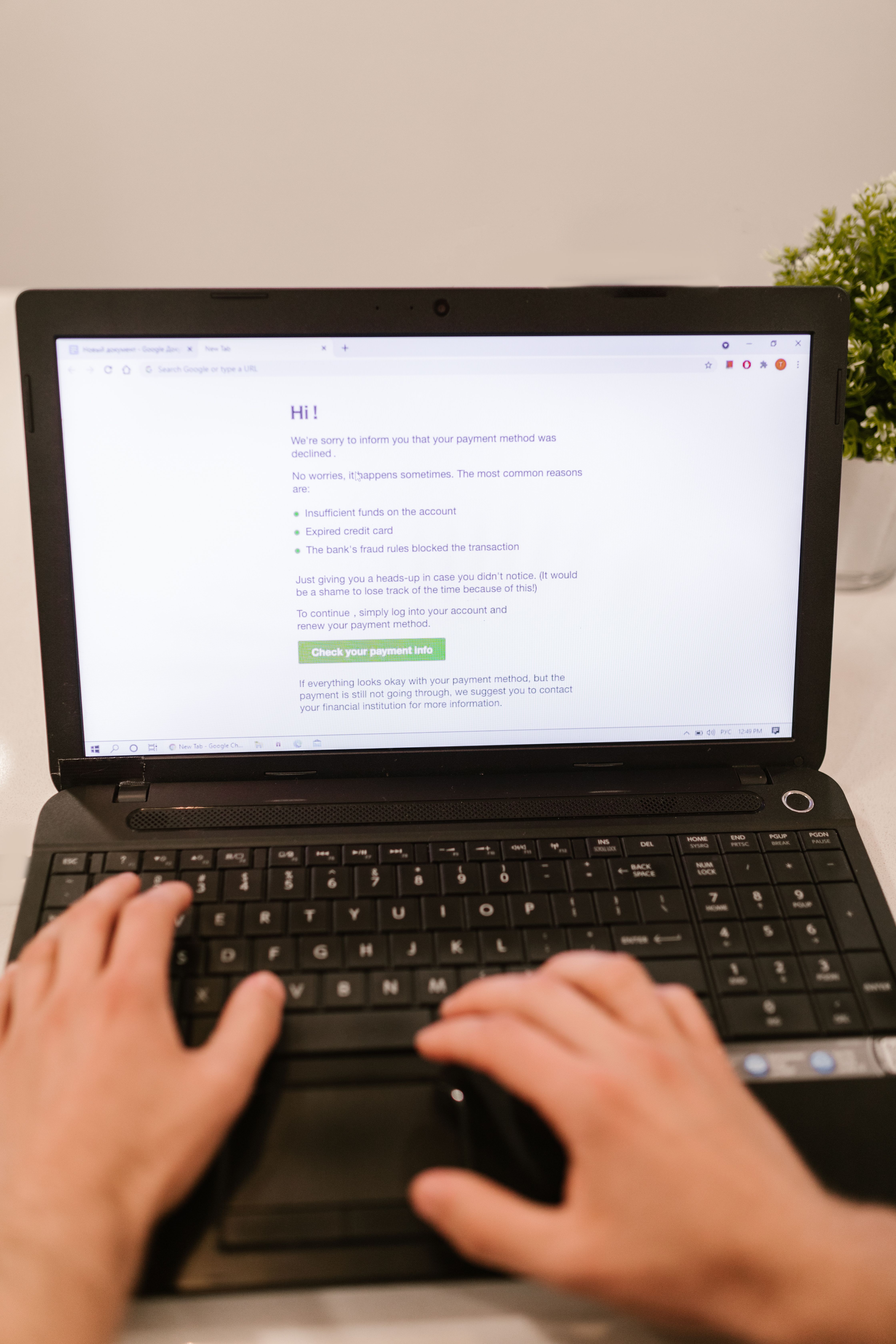
Alt text: A person carefully reviewing an email on a laptop screen.
Caption: Checking the sender's address can help you identify suspicious emails before responding.
Most Common Online Scams People Face Today
Scammers constantly change their messages, but many scams still follow the same basic pattern. They try to gain your trust, create a problem or opportunity, and then convince you to send money or share information.
Fake Delivery Texts, Banking Alerts, and OTP Scams
Delivery and banking messages are among the easiest ways scammers get people's attention.
You might receive a text claiming that your parcel is delayed and needs a small redelivery payment. Another message may warn you about suspicious activity on your bank account and ask you to verify your details.
Some scammers even call pretending to be bank representatives. They may say they are helping you stop a fraudulent transaction, but then ask you to share a one-time password (OTP).
Other common examples include:
Fake parcel tracking links requesting payment or personal details.
Messages claiming your bank account needs immediate verification.
Emails threatening to suspend your social media or streaming account.
Requests to share OTPs or security codes to confirm your identity.
Never share a one-time verification code with someone who contacts you unexpectedly. If you receive a suspicious banking alert, check your account through the official banking app or contact your bank using its verified number.
Work-From-Home Job Scams and Investment Traps
Online job scams often target people looking for flexible work or extra income. A recruiter may promise easy earnings, simple tasks, or a high salary with little experience required.
The warning sign usually appears when they ask you to pay a registration fee, purchase equipment from a specific seller, or deposit money to unlock your earnings.
Investment scams can be equally convincing. Someone may show screenshots of profits, promise guaranteed daily returns, or encourage you to join a private investment group. Once you send money, withdrawing it may become impossible.
Watch out for:
Jobs requiring payment before you can start working.
Guaranteed profits with little or no risk.
Requests to deposit money into personal wallets or unfamiliar platforms.
Buyers who send more money than agreed and ask you to refund the difference.
If an offer sounds unusually easy or profitable, take time to research it independently before making a decision.
Step-by-Step Checklist to Verify Suspicious Messages
You don't need special software or technical knowledge to check most suspicious messages. Following the same routine each time can help y7ou avoid making a decision under pressure.
1. Pause Before Clicking
Don't let a message rush you into action. Whether it claims your account is at risk or you've won something exciting, take a moment before opening any link or attachment.
2. Check the Sender Carefully
Look beyond the display name. Check the complete email address, phone number, or social media account. Scammers often use addresses that look almost identical to genuine ones.
3. Inspect the Link
Before opening a link, check where it leads. On a computer, you can hover over it to preview the address. On a phone, pressing and holding the link may reveal its destination.
Be cautious with misspelled website names, unfamiliar domains, or links shortened to hide the actual destination.
4. Verify Through an Official Channel
If a message claims to be from your bank, a delivery company, or an online service, open its official app or website yourself.
You can also contact the company through a phone number listed on its official website. Avoid using contact details supplied in a suspicious message.
5. Report and Block the Sender
If you identify a scam, report it through your email or messaging app and block the sender. This can help prevent further messages and reduce the chances of others receiving the same scam.
Common Scam Warning Signs
Warning sign | What the scammer wants | Safer response |
|---|---|---|
Urgent account warning | Your login details | Use the official app or website |
Unexpected payment or parcel link | Card details or OTP | Verify directly with the bank or courier |
Upfront fee for a job or prize | An advance payment | Don't pay; verify the offer independently |
Suspicious attachment | Access to your device or information | Avoid opening unverified files |
Request for a verification code | Access to your account | Never share your OTP or security code |
Image placement: After the table
Alt text: A smartphone showing account security settings and authentication options.
Caption: Unique passwords and two-factor authentication add an extra layer of protection to your online accounts.
How to Protect Your Accounts Before a Scam Happens
Avoiding suspicious messages is important, but protecting your accounts in advance is just as useful. A few security settings can reduce the risk of someone accessing your accounts if your password is exposed.
Everyday Digital Safety Habits That Work
Enable two-factor authentication: Use an authenticator app or security key where available. This adds another layer of protection beyond your password.
Use different passwords: Avoid using the same password for email, banking, social media, and shopping accounts.
Keep verification codes private: Banks and legitimate support staff should never need you to disclose an OTP to someone who has contacted you unexpectedly.
Keep your devices updated: Install updates for your phone, browser, and apps to fix known security weaknesses.
Review account activity: Check login alerts and active sessions from time to time, especially if you notice anything unusual.
These habits take only a little time to set up, but they can make your accounts much harder to compromise.
Key Takeaways
Online scammers often use urgency, fake identities, and convincing links to trick people into acting quickly.
Fake delivery messages, suspicious job offers, investment promises, and OTP requests are common warning signs.
Always check the sender and verify unexpected requests through official websites or apps.
Never share passwords, banking information, or verification codes with someone who contacts you unexpectedly.
Strong passwords and two-factor authentication help protect your accounts even when a scam message looks convincing.
Frequently Asked Questions
Check Links Before Opening
Check the complete web address before clicking. Look for spelling mistakes, extra words, unusual domain endings, or names that don't match the official website. If you're unsure, visit the company's website directly instead of using the link.
What should I do if I already clicked a phishing link?
Close the page and avoid entering any information. If you shared a password, change it immediately through the official website or app. If you entered banking details or shared a verification code, contact your bank or the affected service as soon as possible.
Are free public Wi-Fi networks riskier for online scams?
Public Wi-Fi networks can expose you to certain security risks, especially if the network is unsecured or fake. Avoid accessing sensitive accounts on unfamiliar networks when possible. Using mobile data for banking and payments is a safer option when you're unsure about the connection.
Why do scammers ask for small upfront fees?
Small payments may seem harmless, which makes people more likely to send them without checking. Scammers use this approach for fake jobs, prizes, loans, and delivery fees. If you're asked to pay money to receive a promised reward or job opportunity, verify it carefully.
Should I reply to a scam message to tell them to stop?
It's better not to reply. Responding may confirm that your number or email is active. Block the sender and report the message through the relevant platform instead.
Conclusion
Online scams can look convincing, especially when they arrive at the wrong moment or appear to come from someone you trust. But you don't need to be an expert to recognize the warning signs.
Make it a habit to pause, check the sender, inspect links, and verify unexpected requests independently. These small steps can help protect your money, personal information, and online accounts.
The next time a message asks you to act immediately, take a breath and check it first. A few seconds of caution could save you a much bigger problem later.







Comments 0
Sign in to join the conversation.
No comments yet. Be the first to say something.