

Grammarly is the most popular writing assistant, but its free plan has limitations and the premium version isn't cheap. If you're looking for Grammarly alternatives free of charge, several excellent tools can help you write better without spending a dime. This guide covers the best free options available in 2026.
Why Look for Free Grammarly Alternatives?

- Grammarly's free version only catches basic grammar and spelling errors
- Premium features (tone, clarity, plagiarism) require a paid plan
- Some alternatives offer better support for non-English languages
- Privacy-conscious users may prefer open-source tools
- Some tools integrate better with specific workflows
1. LanguageTool
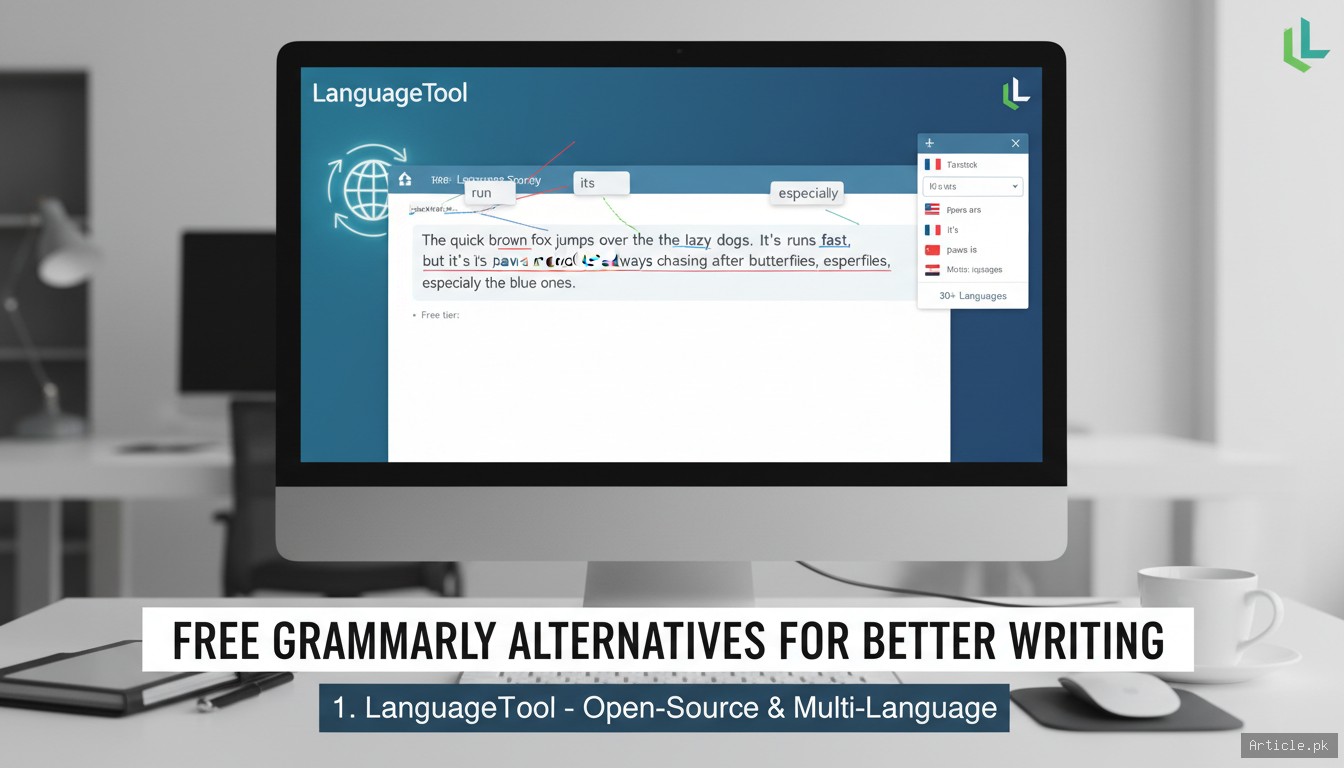
LanguageTool is the strongest free Grammarly alternative. It's open-source, supports over 30 languages, and catches grammar, style, and punctuation errors that Grammarly's free tier misses.
- Free tier: Up to 10,000 characters per check, browser extension, basic style suggestions
- Languages: 30+ including English, Spanish, French, German, Portuguese
- Integrations: Browser extension (Chrome, Firefox, Edge, Safari), LibreOffice, Google Docs, Microsoft Word
- Privacy: Open-source core; self-hostable for maximum privacy
- Best for: Multilingual writers and privacy-conscious users
2. ProWritingAid

ProWritingAid goes beyond grammar checking with in-depth writing analysis. The free version offers grammar checking with limited word count, while providing style reports, readability scores, and writing improvement suggestions.
- Free tier: 500-word limit per check in the web editor, browser extension with limited checks
- Unique features: Writing style reports, overused words, sentence length variety, readability analysis
- Integrations: Browser extension, Google Docs, Microsoft Word, Scrivener
- Best for: Fiction writers, bloggers, and anyone wanting to improve their writing style
3. Hemingway Editor
Hemingway Editor takes a completely different approach — instead of fixing grammar, it focuses on making your writing clearer and more readable. It highlights complex sentences, passive voice, adverb overuse, and hard-to-read passages.
- Free tier: Full functionality in the web app (hemingwayapp.com)
- How it works: Color-coded highlighting shows readability issues at a glance
- No word limit: Unlimited text in the web version
- Best for: Anyone who wants to write clearly and concisely — especially bloggers, journalists, and business writers
4. QuillBot
QuillBot is primarily known as a paraphrasing tool, but it also includes a grammar checker, summarizer, and citation generator. The free tier is generous enough for most casual users.
- Free tier: Grammar checker, paraphraser (125-word limit per paraphrase), summarizer
- Unique features: Paraphrasing modes (standard, fluency, formal, creative), summarizer, citation generator
- Integrations: Browser extension, Google Docs, Microsoft Word
- Best for: Students and anyone who needs to rephrase or summarize content
5. Ginger Software
Ginger offers grammar checking, sentence rephrasing, and translation in one tool. It's particularly useful for non-native English speakers because of its text-to-speech feature and sentence rephrasing suggestions.
- Free tier: Basic grammar and spelling checking, limited corrections per session
- Unique features: Sentence rephraser, text-to-speech, translation to 40+ languages
- Integrations: Browser extension, Windows desktop app
- Best for: Non-native English speakers who need translation and pronunciation help
6. Sapling
Sapling is an AI-powered writing assistant designed for professionals. It catches grammar errors and offers autocomplete suggestions to help you write faster, particularly in customer-facing communications.
- Free tier: Basic grammar checking with limited suggestions
- Unique features: AI autocomplete, snippets for repetitive text, team analytics
- Integrations: Browser extension, Gmail, LinkedIn, Salesforce, Zendesk
- Best for: Customer service professionals and sales teams
7. Microsoft Editor
If you use Microsoft products, Editor is already built into your workflow. It's included free with Microsoft 365 web apps and the Edge browser, offering spelling, grammar, and basic style suggestions.
- Free tier: Basic spelling and grammar in Edge and Microsoft 365 web apps
- Advanced features: Clarity, conciseness, and formality suggestions (requires Microsoft 365 subscription)
- Integrations: Edge browser, Microsoft 365 apps (Word, Outlook, PowerPoint)
- Best for: Anyone already using Microsoft products
Comparison Table
| Tool | Free Limit | Languages | Best Feature | Open Source |
|---|---|---|---|---|
| LanguageTool | 10K chars | 30+ | Multilingual support | Yes |
| ProWritingAid | 500 words | English | Writing style reports | No |
| Hemingway | Unlimited | English | Readability analysis | No |
| QuillBot | 125 words* | English | Paraphrasing | No |
| Ginger | Limited | 40+ | Translation + grammar | No |
| Sapling | Limited | English | AI autocomplete | No |
| Microsoft Editor | Unlimited* | 20+ | MS 365 integration | No |
*QuillBot limit applies to paraphraser; grammar checker is more generous. Microsoft Editor basic is free in Edge and web apps.
Frequently Asked Questions
Which free Grammarly alternative is the most accurate?
LanguageTool and ProWritingAid are generally considered the most accurate free alternatives. LanguageTool catches many errors that Grammarly's free tier misses, particularly for non-English languages. ProWritingAid's style analysis is deeper, though its free version has a lower word limit.
Can I use multiple writing tools together?
Yes, and it's actually a good strategy. Many writers use Hemingway for readability, LanguageTool for grammar, and QuillBot for paraphrasing. Just be aware that running multiple browser extensions simultaneously can sometimes cause conflicts. Disable one before using another if you notice issues.
Is LanguageTool really free?
Yes, LanguageTool's core functionality is free and open source. The free tier includes grammar checking, basic style suggestions, and the browser extension with a 10,000-character limit. Premium features include a higher character limit, style guides, and more advanced suggestions, but the free version is genuinely useful on its own.
Which tool is best for academic writing?
For academic writing, the best combination is ProWritingAid (for style analysis and academic tone) plus QuillBot (for paraphrasing and citations). LanguageTool is also excellent because it handles technical writing well. Hemingway can help ensure your academic writing is clear and readable.
Conclusion
You don't need to pay for Grammarly to write well. The best free Grammarly alternatives offer impressive capabilities — from LanguageTool's multilingual grammar checking to Hemingway's readability analysis to QuillBot's paraphrasing power. For most writers, LanguageTool's free tier provides the closest experience to Grammarly Premium. For those focused on writing style, Hemingway and ProWritingAid are invaluable. And if you're already in the Microsoft ecosystem, Editor is right there waiting to help. Try a few of these tools with your own writing — you might find that the free options are all you need.

Main is topic ko follow kar raha tha. Bohat helpful!
Bilkul sahi kaha aapne. Main mutafiq hoon.
You must be logged in to post a comment.