

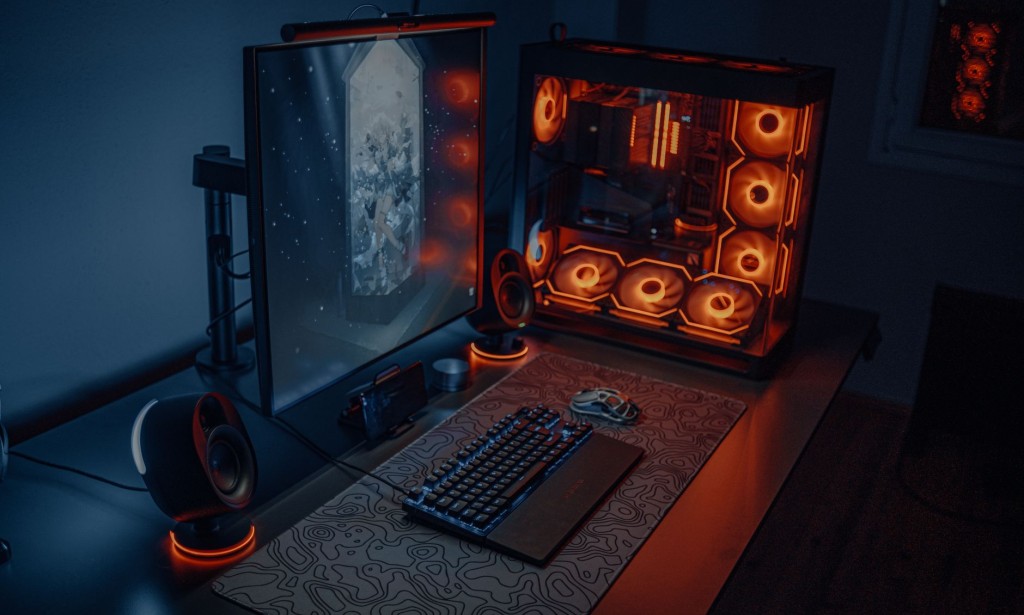
A powerful gaming PC delivers the best gaming experience with high frame rates, stunning graphics, and smooth gameplay. Whether you're a casual gamer or a competitive esports enthusiast, choosing the right gaming PC can make the difference between an immersive, enjoyable experience and frustration with performance bottlenecks. This comprehensive 2026 guide breaks down everything you need to know to make an informed decision based on your budget, gaming preferences, and performance requirements.
Key Components for Gaming PC
Graphics Card (GPU)
The most important component for gaming performance. The GPU determines frame rates, graphics quality, and the ability to run modern games at higher resolutions and settings. Top options for 2026 include NVIDIA RTX 4080/4090 and AMD RX 7900 series. The choice between NVIDIA and AMD depends on your needs: NVIDIA excels in ray tracing, DLSS technology, and driver stability, while AMD offers better value for many price points and supports FidelityFX Super Resolution (FSR).
For entry-level gaming, the NVIDIA RTX 4060 Ti or AMD RX 6700 XT provides excellent performance at 1080p and 1440p resolutions. Mid-range options like the RTX 4070 or RTX 4070 Super offer a sweet spot for 1440p high-refresh gaming and competitive esports titles. High-end GPUs like the RTX 4080 and 4090 are designed for 4K gaming, content creation, and future-proofing. Consider power consumption and cooling requirements when selecting a GPU, as high-end cards can draw 300W or more.
Processor (CPU)
The CPU handles game physics, AI behavior, and general system responsiveness. Intel Core i7/i9 14th Gen and AMD Ryzen 7/9 7000 series remain the best choices for gaming in 2026. The difference between gaming and non-gaming CPUs lies in single-core performance, core count, and thermal design power (TDP). Modern games benefit from higher core counts, but single-core performance remains critical for frame rates in competitive titles.
Intel's 14th Gen processors (Raptor Lake Refresh) offer excellent single-core performance with hybrid P-core and E-core architecture. AMD's Ryzen 7000 series (Zen 4) provides strong multi-core performance and value. For most gamers, an 8-core processor is sufficient, but content creators and streamers benefit from 12+ cores. Don't overlook mid-range options like the Ryzen 5 7600X or Intel Core i5-14600K, which offer excellent value and can handle any modern game effectively.
RAM
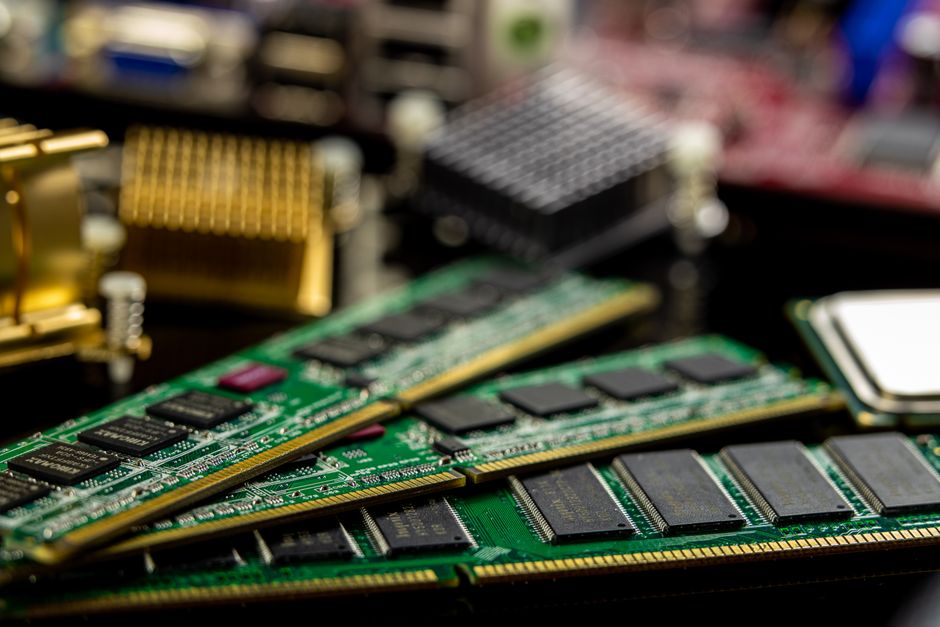
Minimum 16GB is essential for modern gaming, but 32GB is increasingly recommended for smoothness, background applications, and future compatibility. DDR5 memory is now the standard for new builds and offers lower latency and higher bandwidth than DDR4. When choosing RAM, prioritize speed (6000MHz+) and CAS latency (CL30 or lower) for optimal performance with modern CPUs.
Ensure your motherboard and CPU support your chosen RAM speed, as performance gains depend on proper configuration. Fast RAM can improve frame rates by 5-10% in many games. Consider getting two sticks instead of four for better compatibility and upgradability. RGB lighting is purely aesthetic and doesn't affect gaming performance, so prioritize performance specs over appearance.
Storage
Fast NVMe SSD with at least 1TB is essential for quick game loading and system responsiveness. NVMe drives with read speeds of 7000MB/s or higher provide near-instant load times. Many modern AAA games require 100GB+ installation space, so 1TB can fill up quickly if you play multiple large titles. Plan for at least 500GB of free space for optimal performance and Windows updates.
Consider a two-drive setup: a 1TB NVMe SSD for the OS and main games, plus a secondary 2TB SSD or large HDD for additional game storage and backups. PCIe 4.0 NVMe drives offer excellent speed and value, while PCIe 5.0 is emerging but offers minimal gaming benefits for the additional cost. Budget brands like WD Blue and Crucial offer reliable performance, while high-end options from Samsung and Sabrent provide cutting-edge speeds.
Pre-Built vs Custom PC
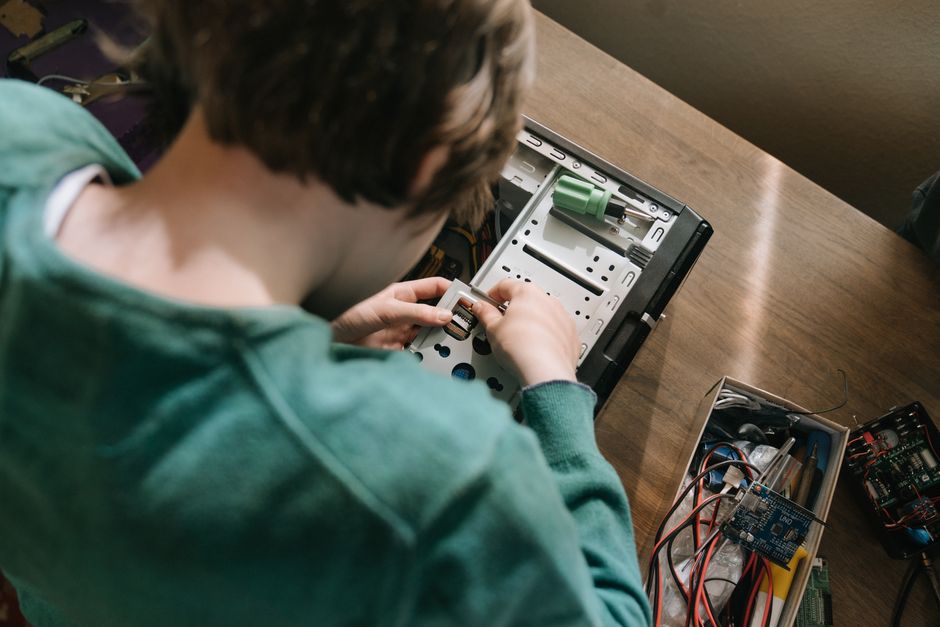
One of the biggest decisions is whether to buy a pre-built gaming PC or build one yourself. Each approach has distinct advantages and considerations.
Pre-Built Gaming PCs
- Convenience: Ready to use immediately, no assembly required or technical knowledge needed
- Warranty: Comprehensive manufacturer warranties covering hardware failures and defects
- Support: Professional customer support and potential free repairs during warranty periods
- Cable Management: Professional-grade internal organization and cable routing
- Drawback: Usually 15-20% markup over component costs, limited customization options
Custom-Built Gaming PCs
- Value: Save 15-20% by purchasing components separately and avoiding middleman markup
- Customization: Choose exact components matching your preferences and budget allocation
- Upgrade Path: Easier future upgrades with modular components and known specifications
- Learning: Gain technical knowledge and confidence in maintaining your system
- Challenge: Requires technical skill, time investment, and troubleshooting ability if issues arise
For beginners, pre-built systems from reputable brands offer peace of mind and support. For enthusiasts and those with limited budgets, custom builds provide better value and flexibility. Consider your technical comfort level, available time, and warranty preferences when deciding.
Budget Tiers for 2026

Gaming PC prices vary dramatically based on performance targets and component choices. Here's a breakdown of typical budget categories and what you can expect at each level:
Entry-Level Budget (00-,200)
Entry-level gaming PCs target 1080p resolution with high settings or 1440p with medium settings at 60+ frames per second. Typical specs include an RTX 4060 Ti or RX 6700 XT GPU, Ryzen 5 5600X or Intel Core i5-12400 CPU, 16GB DDR4/DDR5 RAM, and a 500GB NVMe SSD. These systems handle modern esports titles (Valorant, CS2, Fortnite) at 100+ fps and AAA games at comfortable frame rates. Perfect for casual gamers, esports enthusiasts on a budget, and those upgrading from consoles.
Mid-Range Gaming (,200-,000)
Mid-range systems target 1440p gaming at high settings with 100+ fps or 4K gaming at medium-high settings with 60fps. Specifications typically include an RTX 4070 or RTX 4070 Super GPU, Ryzen 7 5700X3D or Intel Core i7-13700K CPU, 32GB DDR5 RAM, and 1TB NVMe SSD. These systems provide excellent balance between cost and performance, suitable for content creators, streamers, and serious gamers. They offer comfortable gameplay for virtually any title released in 2026 while maintaining upgrade potential.
High-End Gaming (,500-,000+)
High-end systems target 4K gaming at ultra settings with 60fps, or multiple monitor setups at 1440p/1080p with 144+ Hz. These feature RTX 4080/4090 GPUs, Ryzen 9 7950X or Intel Core i9-14900K processors, 64GB DDR5 RAM, multiple high-speed NVMe drives, and premium cooling solutions. Ideal for those demanding maximum visual fidelity, content creation workflows, AI workloads, and future-proofing for years to come. These systems represent the cutting edge of consumer PC gaming.
Top Gaming PC Brands and Manufacturers
Numerous companies manufacture high-quality gaming PCs at various price points. Understanding the strengths of different brands helps narrow your options:
- Alienware: Premium Dell-owned brand known for powerful high-end systems, innovative designs, and excellent customer support. Popular for enthusiasts and competitive gaming.
- ASUS ROG: Republic of Gamers line offers cutting-edge gaming PCs with latest components, aggressive styling, and strong performance. Known for gaming-focused features and design.
- MSI: Dragon brand provides competitive gaming systems at various price points with solid component selection and gaming optimizations. Good value across budget tiers.
- HP Omen: Hewlett-Packard's gaming brand offers reliable systems from budget to high-end with good thermals and upgrade options. Known for solid build quality.
- CyberPowerPC: Customization-focused builder with competitive pricing and rapid turnaround times. Excellent for those wanting mid-level customization without building.
- NZXT: Modern builder emphasizing clean designs, streamlined specs, and good thermals. Growing reputation for reliability and fair pricing.
- Corsair One: Premium all-in-one gaming systems with integrated liquid cooling and sleek design. Higher price point but premium experience.
Essential Gaming PC Accessories and Peripherals
Beyond the core components, several accessories significantly enhance your gaming experience and system functionality. The right peripherals can make the difference between casual gaming and competitive-grade performance, transforming how you interact with your gaming PC.
Gaming Monitor and Display
Your monitor is arguably the most important peripheral, as it's what you stare at for hours while gaming. A 1440p 144Hz IPS monitor represents the sweet spot for most gamers, providing sharp visuals and smooth motion without excessive cost. Competitive gamers prefer 1080p 240Hz+ monitors with minimal response times for maximum responsiveness in fast-paced titles. VA panels offer superior contrast, IPS panels provide better color accuracy for content creation, and TN panels deliver fastest response times. Features like AMD FreeSync or NVIDIA G-Sync eliminate screen tearing for smoother gameplay, though they add to the cost. Consider curved monitors for increased immersion, ultrawide (3440x1440) monitors for productivity and racing games, or multiple monitors for diverse use cases.
Mechanical Keyboard
Mechanical keyboards offer superior tactile feedback, faster actuation, customizable key switches, and superior durability compared to membrane keyboards. Popular switch types include Cherry MX Red (linear, smooth, quiet), Cherry MX Blue (clicky, tactile, loud), and Cherry MX Brown (tactile, quiet). Gaming-specific mechanical keyboards feature programmable keys, macro support, RGB lighting, and gaming-optimized layouts. Invest in a quality mechanical keyboard with switches that match your preferences—testing different switches before purchasing ensures satisfaction. A good gaming mechanical keyboard costs 0-00 but lasts for years and noticeably improves responsiveness in competitive games.
Gaming Mouse
A gaming mouse with a high-quality sensor (3000+ DPI, 99.4%+ accuracy) provides precise cursor control essential for competitive gaming. Lightweight designs reduce wrist fatigue, while ergonomic shapes support palm or claw grip preferences. Programmable buttons enable keybinds and macros, side buttons help with game navigation, and customizable weight systems accommodate different preferences. Famous gaming mouse brands include Razer, Logitech (G series), Corsair, and SteelSeries. Wireless gaming mice have improved dramatically, eliminating latency concerns while providing freedom of movement. Budget 0-50 for a quality gaming mouse that will serve you well across countless gaming sessions.
Cooling Solutions
Adequate cooling prevents thermal throttling and extends component lifespan. Air coolers like Noctua NH-D15 or BeQuiet Dark Rock Pro offer excellent cooling at lower cost. Liquid cooling—either AIO (All-In-One) or custom loop—provides superior cooling for high-end builds and overclocking enthusiasts. Proper case airflow with intake and exhaust fans is essential regardless of cooling method.
Power Supply
A high-quality 750W+ power supply with 80+ Gold certification ensures stable power delivery and efficiency. Calculate your system's power draw and add 20-30% headroom. Reputable brands like Corsair, EVGA, and Seasonic provide reliable power supplies with long warranties. Cheap power supplies risk component damage and safety hazards.
Case and Airflow
Quality cases provide good thermals, cable management, and durability. Popular options include Corsair 4000D, Lian Li Lancool 303, and NZXT H710. Ensure your case supports your cooler height, GPU length, and power supply size. Good front intake and rear exhaust airflow maintains component temperatures.
Audio System
Gaming headphones or speakers enhance immersion and provide competitive advantages through audio cues. Quality gaming headsets from brands like HyperX, SteelSeries, and Corsair offer comfortable padding for extended wear, strong microphones for team communication, and accurate audio reproduction. Surround sound 7.1 headsets help locate enemy positions in competitive games. Consider whether you prefer headsets (private audio, easier communication) or desktop speakers (comfortable for longer sessions, better for casual gaming). Budget 0-00 for quality audio that significantly improves your gaming experience.
Gaming PC Maintenance and Longevity
Proper maintenance keeps your gaming PC running optimally and extends its lifespan significantly. Dust is the enemy of cooling systems, reducing efficiency and increasing temperatures. Clean your case filters monthly and internal components quarterly using compressed air. Ensure adequate ventilation around your tower, maintaining at least 6 inches of clearance on all sides. Monitor temperatures using software like HWiNFO64 or MSI Afterburner, keeping CPU temperatures below 80°C and GPU temperatures below 85°C under load. Update drivers regularly, especially GPU drivers for performance improvements and security patches. Update Windows and software to maintain security and compatibility. Replace thermal paste on CPU coolers every 2-3 years, as it degrades over time and reduces cooling efficiency. Avoid sudden temperature changes that cause condensation inside the case. Keep your system away from pets, smoking areas, and dust-prone environments. Perform regular disk cleanups, removing unused applications and temporary files to maintain storage performance.
Gaming Performance Metrics Explained
Understanding key performance metrics helps you choose appropriate components and set realistic expectations:
Frame Rate (FPS)
Frames per second measured in Hz. Higher FPS = smoother motion. 60fps is the baseline, 144fps is excellent, 240fps is competitive esports standard. Your monitor refresh rate must match or exceed your GPU's capability to see benefits.
Resolution
1080p (1920x1080) is standard, 1440p (2560x1440) is ideal mid-range target, 4K (3840x2160) is cutting-edge. Higher resolutions require exponentially more GPU power but deliver sharper visuals.
Ray Tracing and DLSS
Ray tracing simulates realistic lighting but is demanding. DLSS 3 and AMD FSR use AI upscaling to reduce rendering load while maintaining quality, enabling higher frame rates at high settings.
Future-Proofing Your Gaming PC
Building a system that remains relevant for 5+ years requires strategic component choices and planning. Prioritize CPU and GPU performance, ensure sufficient RAM (32GB minimum going forward), use NVMe SSDs, and choose quality components with upgrade potential. Avoid proprietary designs that lock you into specific manufacturer components. Monitor emerging gaming standards like DirectStorage and new APIs to ensure long-term compatibility.
Frequently Asked Questions
What's the best gaming PC for 1440p gaming at 144fps?
For consistent 1440p at 144fps, you'll need an RTX 4070 Super or better (or AMD RX 7700 XT equivalent) paired with a Ryzen 7 5700X3D or Intel i7-13700K. Budget around ,800-,200 for a quality pre-built system or ,400-,700 for a custom build. Game settings and specific titles will affect actual framerates, but this combination provides excellent performance.
Is 32GB RAM necessary for gaming, or is 16GB enough?
16GB remains sufficient for gaming alone, but 32GB is recommended if you multitask (streaming, Discord, Chrome tabs) or work with content creation. Many games currently require 12-16GB, but AAA titles are trending toward higher requirements. For longevity and smooth multitasking, 32GB is the safer choice for 2026 and beyond. The performance difference in pure gaming with 16GB vs 32GB is minimal, but quality of life improves significantly.
Should I choose NVIDIA or AMD for my gaming GPU?
Both are excellent choices. NVIDIA leads in ray tracing performance, DLSS technology, and driver stability, making it ideal for high-end gaming and content creation. AMD offers better value, especially at mid-range price points, and its FSR upscaling technology is improving rapidly. Choose NVIDIA for cutting-edge performance and established software ecosystem, AMD for value and competitive feature sets. Either choice provides excellent gaming performance.
Can I build a gaming PC for under ,000, and is it worth it?
Yes, but budget is tight. Under ,000 you get 1080p at high settings or 1440p at medium settings. Quality examples: RTX 4060 Ti + Ryzen 5 5600X + 16GB DDR4 + 500GB SSD. It's achievable and fun, but requires careful component selection and some sales hunting. Better gaming experience comes from stretching to ,200-,400 if possible, providing more headroom and longevity.
How often should I upgrade my gaming PC?
A quality gaming PC built in 2026 remains relevant for 3-4 years before significant upgrades become desirable. GPUs typically become the first bottleneck, usually after 3-4 years of heavy gaming. CPUs age more slowly, often remaining capable for 5+ years. Plan incremental upgrades (GPU first, then CPU) rather than replacing entire systems. A ,000 build in 2026 will still handle games very well through 2027-2028.
Conclusion
Choosing the best gaming PC in 2026 comes down to understanding your needs, setting a realistic budget, and prioritizing components strategically. Whether you opt for a pre-built system from established manufacturers or build a custom PC, ensure you balance performance, cost, and longevity. Start by defining your target resolution and frame rate, then work backward to determine required components. Don't overspend on components you don't need, but invest quality in GPU and power supply—the foundation of any gaming PC. Remember that peripherals significantly impact your experience, and investing in a quality monitor, keyboard, mouse, and audio setup elevates your gaming sessions. Proper maintenance keeps your system running smoothly for years, protecting your investment through regular cleaning, temperature monitoring, and driver updates. Monitor your gaming requirements, keep an eye on component prices and availability, and remember that a ,500 gaming PC built today will deliver excellent experiences for years to come. With the right choice, quality peripherals, and proper maintenance, your gaming PC will provide countless hours of entertainment and immersion.







Comments 0
Sign in to join the conversation.
No comments yet. Be the first to say something.