

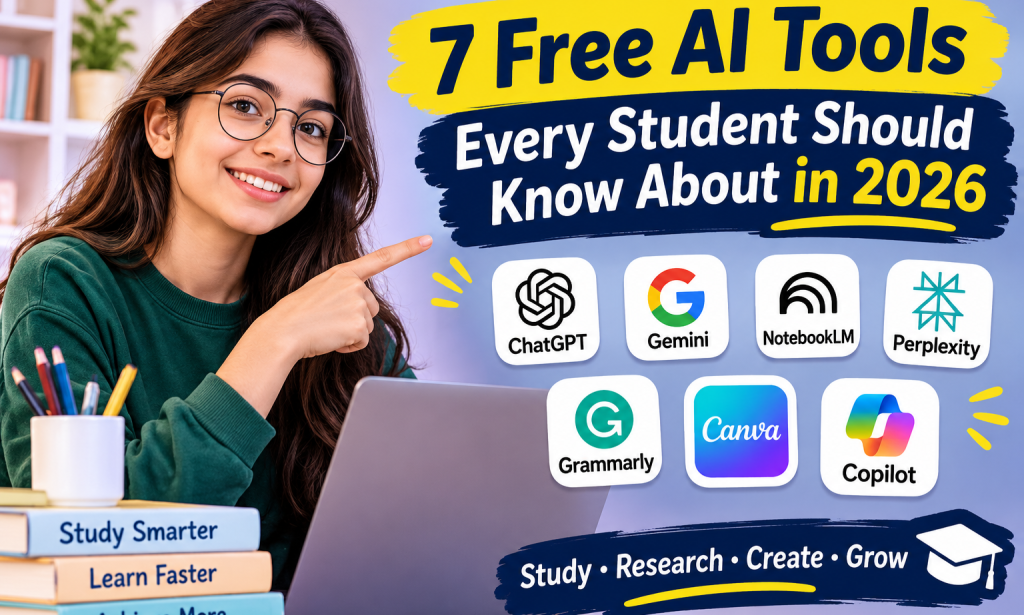
Imagine preparing for an exam, struggling to understand a difficult topic, or trying to create a presentation without knowing where to begin. Now imagine having a digital assistant that can help explain concepts, organize your notes, improve your writing, and turn your ideas into attractive designs.
Artificial intelligence (AI) is changing how students learn and complete everyday academic tasks. From answering questions to organizing research, AI tools can make studying more convenient and help students explore new ways of learning.
The good news is that you don't always need to pay for these tools. Several popular AI platforms offer free versions, although some features have usage limits or require a subscription.
Whether you're a school student, university student, or someone learning new skills online, here are seven free AI tools worth exploring in 2026.
1. ChatGPT: Your AI Study Assistant
ChatGPT is an AI assistant that can help students understand difficult concepts, brainstorm ideas, practice questions, and organize their studies.
Instead of searching through multiple explanations, students can ask ChatGPT to explain a topic in simple language. They can also request examples, step-by-step explanations, or practice questions to test their understanding.
How students can use ChatGPT:
- Understand difficult academic topics.
- Create revision questions for exams.
- Summarize notes and identify key points.
- Practice English grammar and vocabulary.
- Generate ideas for assignments and presentations.
Example:Suppose you are studying climate change but find the scientific explanation confusing. You can ask ChatGPT to explain climate change in simple English and provide three everyday examples.
You can also ask it to quiz you on the topic without immediately revealing the answers.
ChatGPT offers a free version, but access to certain features and tools is subject to usage limits.
Best for:Understanding concepts, practicing question, brainstorming, and study support.
2. Google Gemini: Help With Research and Learning
Google Gemini is an AI assistant that can help students explore topics, generate ideas, understand information, and work through questions.
It can be useful when you need an initial explanation of a subject or want to explore different perspectives before beginning an assignment.
How students can use Google Gemini:
- Explore unfamiliar subjects.
- Generate ideas for essays and projects.
- Ask follow-up questions about complicated topics.
- Get help understanding concepts.
-Organizing information before starting an assignment.
Example: Imagine you need to write an assignment about the effects of social media on young people. You can ask Gemini to suggest possible discussion points, such as communication, education, privacy, and mental well-being.
You can then research those points using reliable sources and develop your own argument.
Gemini offers free access, although some advanced features and higher usage limits may require a paid plan.
Best for: Exploring ideas, understanding subjects, and getting started with research.
3. NotebookLM: Turn Your Notes Into Study Material
NotebookLM is a particularly useful AI tool for students who have large amounts of reading material to review.
Instead of asking general questions about a subject, you can provide your own sources, such as supported documents, notes, and reading materials. NotebookLM can then help you explore and understand the information in those sources.
This can be especially helpful when preparing for examinations or reviewing lengthy course materials.
How students can use NotebookLM:
- Review lecture notes and reading materials.
- Generate summaries of uploaded sources.
- Ask questions about their study material.
- Create study guides and revision questions.
- Identify important ideas in lengthy documents.
Example:Suppose your teacher provides a long PDF about the history of Pakistan. You can add the document to NotebookLM and ask it to summarize the major events, explain important historical figures, and create revision questions based on the material.
This can help you organise your revision without reading the entire document repeatedly.
However, AI-generated summaries can still contain mistakes or omit important details, so check the original material when accuracy matters.
Best for: Exam preparation, document analysis, and reviewing your own study notes.
4. Perplexity: A Useful Tool for Research
Finding reliable information is an important part of academic writing. Perplexity is an AI-powered search and answer tool that searches the web and provides responses with source citations.
Unlike an ordinary chatbot response that may not include references, Perplexity is designed to connect its answers to online sources that readers can check.
How students can use Perplexity:
- Explore topics for research assignments.
- Find relevant websites and references.
- Investigate current events.
- Compare information from different sources.
- Discover sources for further reading.
Example: Suppose you are writing about the impact of artificial intelligence on education. You can ask Perplexity to identify recent developments and provide sources for further reading.
You should open the original sources, check their credibility, and confirm that they actually support the claims you want to use.
Remember that citations do not automatically make every AI-generated answer correct. Some sources may be incomplete, outdated, or irrelevant to your argument.
Perplexity offers free access to its core search and chat features, while some advanced capabilities require a paid plan.
Best for: Initial research, discovering sources, and exploring current information.
5. Grammarly: Improve Your English Writing
Good writing is essential for assignments, reports, emails, and presentations. However, grammar and spelling mistakes can make even a well-researched piece of writing difficult to read.
Grammarly is a writing assistant that helps users identify errors and improve the clarity of their text.
It can be particularly useful for students who want to develop their English writing skills.
How students can use Grammarly:
- Identify spelling and grammar mistakes.
- Improve sentence clarity.
- Check punctuation.
- Review word choice and tone.
- Make written work easier to understand.
Example: Suppose you write the sentence, "Students is using technology for improve their education."
A writing assistant can help identify the grammatical problems and suggest a correction: "Students are using technology to improve their education."
You should still try to understand why the original sentence was incorrect. This will help you recognize similar mistakes in your future writing.
Grammarly offers free writing assistance, while some advanced suggestions and features may require a paid plan.
Best for:Proofreading, improving grammar, and developing writing skills.
6. Canva: Create Attractive Presentations and Designs
Not every academic project involves writing paragraphs. Students often need to create presentations, posters, infographics, and other visual materials.
Canva is a design platform that makes these tasks easier, even for beginners who have little experience with graphic design.
Its AI features can help users brainstorm ideas and create or edit visual content. The availability of individual features depends on the plan.
How students can use Canva:
- Design classroom presentations.
- Create posters for school projects.
- Prepare infographics to explain information.
- Make attractive study notes.
- Design CVs and portfolios.
Example: Suppose you need to prepare a presentation about environmental pollution. You can choose a presentation template, organise your main points into slides, and add relevant illustrations and charts.
Some Canva AI features are available on the free plan with usage limits, while others require a paid subscription.
Remember that a visually attractive presentation should also contain accurate information and readable text.
Best for:Presentations, posters, infographics, and visual learning materials.
7. Microsoft Copilot: An Assistant for Everyday Tasks
Microsoft Copilot is an AI assistant that can help users explore information, generate ideas, summarize material, and work through everyday questions.
It can be useful when you need help understanding a topic or planning the structure of a project.
How students can use Microsoft Copilot:
- Explore topics for assignments.
- Generate ideas for essays.
- Break complex questions into smaller parts.
- Create revision questions.
- Organize information before writing a report.
Example: Imagine that you have to write a report about renewable energy. You can ask Copilot to suggest a report structure covering solar power, wind energy, advantages, challenges, and future possibilities.
You can then research each section, verify important claims, and write the report in your own words.
Copilot offers free access to its assistant, although certain advanced features and integrations may require a subscription or eligible account.
Best for: Brainstorming, exploring information, and organizing projects.
Which AI Tool Should You Choose?
With so many options available, choosing the right tool can feel confusing. The easiest approach is to select a tool based on the task you need to complete.
Here is a quick comparison:
AI tool | Best use | Free access |
|---|---|---|
ChatGPT | Explanations and practice questions | Yes, with limits |
Google Gemini | Exploring topics and generating ideas | Yes, with limits |
NotebookLM | Studying from your own notes | Yes, with limits |
Perplexity | Web research with source citations | Yes, with limits |
Grammarly | Grammar and writing improvement | Yes, with limits |
Canva | Presentations and visual designs | Yes, with limits |
Microsoft Copilot | Everyday questions and project planning | Yes, with limits |
Free-plan features and usage limits can change, so check each platform's official website before relying on a particular feature.
How to Use AI Tools Responsibly
Although AI tools can make studying more convenient, students should understand that these tools are not substitutes for learning.
Here are a few important practices to follow:
1. Understand before submitting.
Use AI explanations to learn a concept rather than copying an answer you do not understand.
2. Verify important information.
AI tools can make mistakes, so check facts against reliable sources, textbooks, and course materials.
3. Write in your own words.
Use suggestions to improve your work while developing your own writing and critical-thinking skills.
4. Protect your privacy.
Avoid uploading confidential documents, personal information, or sensitive academic records.
5. Follow your institution's rules.
Schools and universities may have different policies about AI use in assignments and examinations.
Using AI responsibly means treating it as a learning assistant rather than allowing it to replace your own effort.
Conclusion: Learn Smarter With AI
Artificial intelligence is creating new opportunities for students to explore ideas, improve their writing, organize information, and make studying more interactive.
Tools such as ChatGPT, Google Gemini, NotebookLM, Perplexity, Grammarly, Canva, and Microsoft Copilot offer different ways to support learning. You do not need to use all seven. Start with one that addresses your biggest challenge, learn how to use it effectively, and explore other options when you need them.
Most importantly, remember that technology is most useful when it strengthens your abilities rather than replacing them.
The goal isn't to let AI do your learning for you. It's to use AI to become a more confident, independent, and effective learner.







Comments 0
Sign in to join the conversation.
No comments yet. Be the first to say something.