


Online earning is the most common reason people in Pakistan buy a cheap laptop, and the most common reason they end up disappointed. The machine that was sold to them could browse the internet and play video, which is what the seller demonstrated. It could not hold a client call, a browser with a dozen tabs, and a design file at the same time, which is what the work actually required.
The fix is to buy against your workload instead of against a demonstration. Different kinds of online work ask for very different machines, and the cheapest laptop that is adequate for one kind may be completely unusable for another. This guide sorts the work into tiers, sets a realistic floor for each, and then adds the costs people forget: the connection, the power, and the spare machine you hope never to need.
What online earning actually asks of a laptop
Almost every online job is a browser job underneath. The portal is a browser. The communication tool is a browser or an app that behaves like one. The file transfer, the invoice, the time tracker, and the client call all sit on top of the same few processes, and they all compete for the same memory. This is why a machine that feels fine when you first open it can collapse an hour into a shift.
The second demand is uptime. A laptop for earning is not a toy that can reboot while you make tea. It has to be reliable at a specific hour, on a specific day, because that is when the client expects you. Reliability at the low end comes from condition and from having a fallback, not from specification alone.
Tier one: typing, data entry, and chat support
The lightest category of online work is text in and text out. Data entry, form filling, transcription, chat support, and simple back office tasks all fit here. These jobs need a working keyboard, a screen you can read for hours, and a browser with a handful of tabs. They do not need a fast processor, and they do not need a large drive.
A machine at the very bottom of the market can handle this, provided the keyboard is fully functional and the battery is not so tired that a power cut ends your shift. The real risk in this tier is not performance. It is typing comfort and screen quality, because you will be doing thousands of words a day on hardware that was designed for occasional use.
Tier two: writing, translation, and virtual assistance
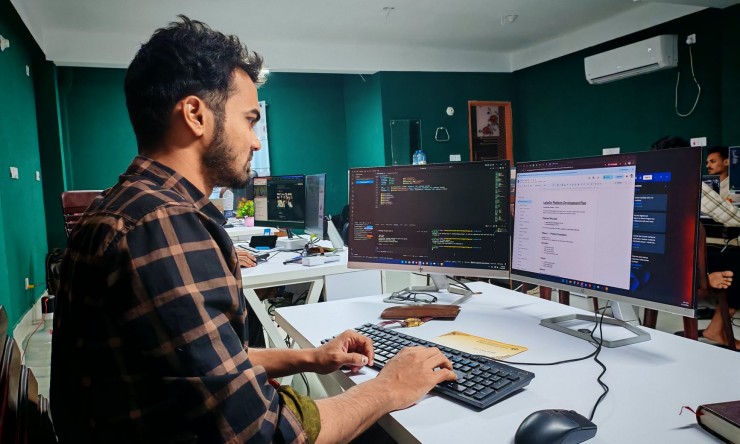
The next step up adds multitasking. A writer has a document open, a research browser, a messaging app, and a client portal all at once. A virtual assistant adds a calendar, a shared drive, and often a voice call. This is where memory stops being a detail and becomes the deciding factor, and where four gigabytes turns from tight into genuinely obstructive.
This tier also benefits from a screen that can display two windows side by side without everything becoming tiny. On the cheapest machines that usually means a lower resolution panel, which forces you to choose between zooming in and seeing enough context. It is a small thing that becomes a large irritation after a month of eight hour shifts.

Most online work is multitasking, not heavy computing.
Tier three: design, video, and development
Creative and technical work pushes past what the bottom of the market can do. Image editing with many layers, video editing of any kind, and modern development environments all want memory, a fast drive, and a processor that does not throttle the moment it is asked to sustain work. A cheap machine can technically install this software. It cannot run it at a speed that lets you bill for your time.
If your plan is to enter this tier, the honest advice is to buy the best machine you can afford rather than the cheapest that installs the software. A slow machine does not just make the work unpleasant, it caps how much of it you can complete. That is a business cost, not a comfort issue, and it deserves to be budgeted as one.
Setting the floor for your own work
Write down the four things you will have open at your busiest moment, then buy a machine that can hold all four without swapping to disk. In practice that means prioritising memory above everything, storage type second, and processor generation third. Screen and keyboard come next, because they determine whether you can do the hours at all.
Do not buy on the promise of upgrades you have not priced. Plenty of cheap machines have memory soldered to the board, which means the upgrade you were counting on does not exist. Confirm the slots before you pay, and confirm that the drive is a standard size that replacements are available for. A laptop that can only accept one specific part is a laptop you will struggle to keep alive.
Internet and power belong in the same budget
A laptop is only half of an online earning setup. The connection is the other half, and at the low end of the market it is usually the half that fails first. A machine that cost you a month of savings is useless during an outage, and outages are a normal part of the working year. Budget for a second connection or a data backup that can carry a client call, and test it before a deadline depends on it.
Power is the same story. Load shedding does not care about your delivery schedule. A machine with a healthy battery buys you time to finish a file before shutdown, and an inverter or a small UPS buys you the rest. Neither is optional if your income depends on the machine staying on, and both should be counted before you decide how much laptop you can afford.
The backup plan nobody wants to think about
Every freelancer in this market eventually has a week where the laptop dies. The ones who keep earning are the ones who had a plan. That plan is usually unglamorous: work stored in a cloud drive rather than only on the desktop, a phone that can take over messaging and email, and a borrowed or second-hand spare that can run a browser if the main machine goes to a repair shop.
The spare does not need to be good. It needs to boot, connect, and open a browser. Many people keep their previous laptop for exactly this reason instead of selling it, and that habit has saved more deadlines than any specification choice. If you are buying your first earning machine, think now about what the second one will be, because there will be a second one.

Connection and power decide whether the laptop can earn.
A buying routine for people who work on the machine
Test the machine with your own work, not with the seller demonstration. Log into your actual portal, open the number of tabs you really use, and join a test call if the seller will allow it. Check the keyboard by typing a paragraph at your normal speed. Look at the screen at the angle you actually sit at, not straight on in a bright shop.
Then check the boring things: the charger, the battery report, the hinge stiffness, the wireless, and the ports you need for your headset or your second screen. Get the serial number in writing. Confirm the return terms out loud, and assume they do not exist unless they are on paper. Pay only after all of that, and keep a photograph of the machine and the receipt.

One more thing worth checking before you decide.
Frequently Asked Questions
Can a very cheap laptop earn online? Yes, for text based work with a browser and a couple of tabs. It will not carry design, video, or development work at a billable pace, and pretending otherwise costs more in lost time than the upgrade would have cost.
Is memory or processor more important? Memory, for almost every kind of online work. A modest processor with enough memory behaves far better than a faster processor starving for memory.
Do I need a new laptop to start freelancing? No. A well-chosen used business machine with a healthy battery is a better first purchase than a new entry-level unit at the same money, and it is easier to repair.
How much of my budget should go to the laptop? Less than the total, because the connection, the power backup, and the spare device all belong to the same plan. A laptop that cannot stay online during an outage is not a working setup.
What should I check on the day of purchase? Battery report, keyboard, screen at your working angle, wireless, charger, and the exact memory and storage configuration. Then confirm the price against at least two other sellers before paying.
Conclusion
Buy for the work you will actually do, not the work the seller demonstrates. Match the tier, prioritise memory and a solid state drive, reserve money for the connection and the power backup, and keep a spare that can open a browser. Do that, and a low price laptop becomes a tool that earns rather than a monthly repair appointment. Confirm every figure against live listings on the day you buy.





Comments 0
Sign in to join the conversation.
No comments yet. Be the first to say something.